
CS
Cedar Street BakeryPosted that they need reliable help with weekly deliveries.
New prospectHi, I saw you are looking for dependable delivery help. We serve the neighborhood every week and would be glad to talk through what you need.
For local businesses
You are the owner, the receptionist and the marketer. AI for local business owners works best as a team: Operly gives you team members that follow up with customers, sort the inbox and create this week’s marketing, so the small stuff stops piling up.
Your income depends on customers, reviews and showing up every week.
Also finds you new customers. See how →Try it: find your next customers
Describe your ideal customer once and set it as a routine. Your team members research on a schedule and bring you prospects with a drafted introduction for each. You choose who to contact, and each introduction is drafted for you to read. This is an example with made-up people.
 Chief of staffYour team
On it! I found 3 prospects worth a look, each with a drafted introduction. Keep the ones you like.
Hi, I saw you are looking for dependable delivery help. We serve the neighborhood every week and would be glad to talk through what you need.
Hi, welcome to the neighborhood. We are a local business that helps new neighbors get settled. I would be happy to share how we can help, no obligation.
Hi, I saw your upcoming community event. We would love to support it and would be glad to chat about working together.
Drafts stay with you until you send them.
Try it: review replies
Say the request once. Your team members draft a reply to each of this week’s reviews, kind to the happy and calm with the unhappy. Pick a review to see the draft, then approve it or change it yourself. This is an example with made-up customers.
Chief of staffYour teamReply to this week’s customer reviews.
On it! The drafts are ready for you to read. Pick one to open it.
New reviews
Thank you so much, Carla. It means a lot to the whole team to hear this. We look forward to seeing you again soon.
Drafts stay with you until you send them.
Sound familiar?
You are the owner, the front desk and the marketing team
Customer messages pile up after hours
Marketing happens when there is time, which is never
What you can hand off
These are the kinds of requests local businesses give their chief of staff. Your team members do the work and you review the result.
“Every week, look for people and businesses near me who could become customers and draft a short intro for each.”
Describe who you want to reach and set it as a routine. It researches on a schedule and drafts outreach for you to review. You choose who to contact, and each introduction is drafted for you to read.
“Follow up with everyone we served this week and ask how it went.”
A follow-up team member drafts a friendly note for each customer. You review and send.
“Sort quote requests and supplier emails so I can see what needs a reply.”
Inbox rules star what matters and move routine mail out of the way, and requests can become tasks with deadlines.
“Write this week’s post, a promo email and an image for our special.”
Studio creates the post, the email and the image, and keeps them in your library.
“Every Friday, remind me to order supplies and review next week’s schedule.”
A routine runs on schedule and reaches you where you already are.
“What do I need to handle today?”
The Morning Briefing pulls together tasks, overdue work and the calendar, and suggests your top three priorities.
One request, start to finish
An illustration of how one request can play out, not a customer story.
“Reply to this week’s reviews, sort the inbox and find new customers near me.”
A reviews team member drafts replies, an inbox team member turns requests into tasks with dates and a routine looks for people nearby who could become customers.
The replies, the tasks and the new prospects are ready. You edit and send.
A customer story
I run a saddlery business in Australia and also have a coffee shop. Before Operly, I was using multiple tools and services: Flodesk, Canva, a bookkeeper, website help and more. Since using Operly, I’ve been able to cancel both Flodesk and my bookkeeper, and after upgrading to Business, I now have team members handling different parts of my business.
ResultIt saves me sooooooo much time and money and has freed my mental load.
What stays with you
Your business, your customers and your name. You approve everything that goes out under it.
What your team takes on
You are running the place and handling the marketing too. Your team members take the second job.
Finding new customers is the top challenge for most small businesses, and there is no time for it.
With OperlyDescribe who you want to reach and set it as a routine. It researches on a schedule and drafts outreach for each. You choose who to contact.
Every review deserves an answer, and the unhappy ones need care.
With OperlyA reviews team member drafts a reply to each one, kind to the happy and calm with the unhappy.
A repeat customer costs less than a new one, and nobody has time to ask.
With OperlyKeep birthdays and regulars in a simple list. A daily routine reads it and drafts a friendly note for anyone whose occasion is coming up.
Most owners can give marketing an hour a day, if that.
With OperlyA content team member drafts this week’s post and promo email from a few lines.
Orders, questions and special requests arrive during the rush.
With OperlyRequests in your inbox quietly become tasks with dates, and replies are drafted for you.
Missed appointments and double bookings cost money.
With OperlyYour calendar and reminders sit in one place, and confirmation messages are drafted for you.
Appointments, deliveries and deadlines are spread across notes and memory.
With OperlyA morning briefing lists today’s appointments, overdue tasks and top priorities.
In the app
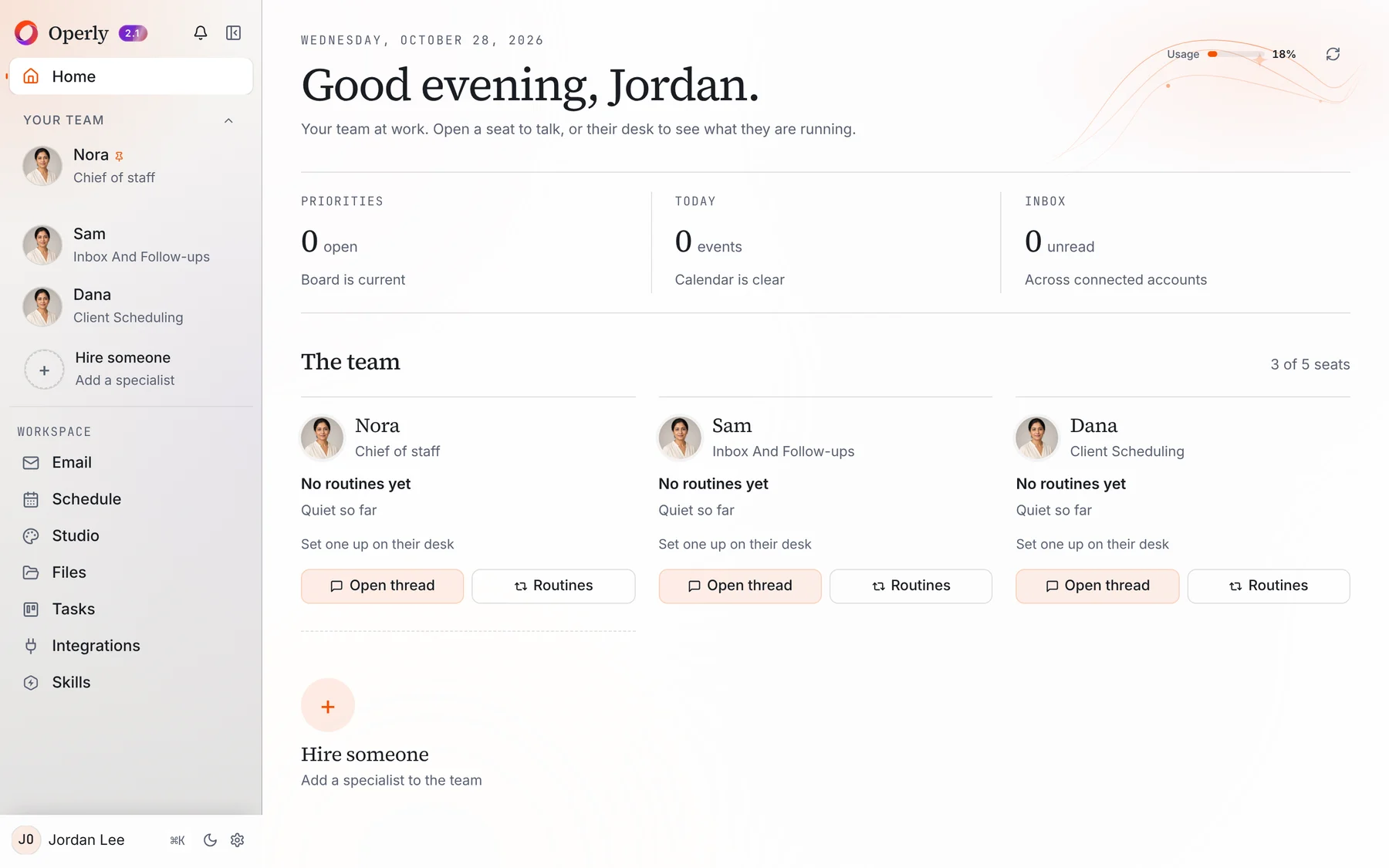
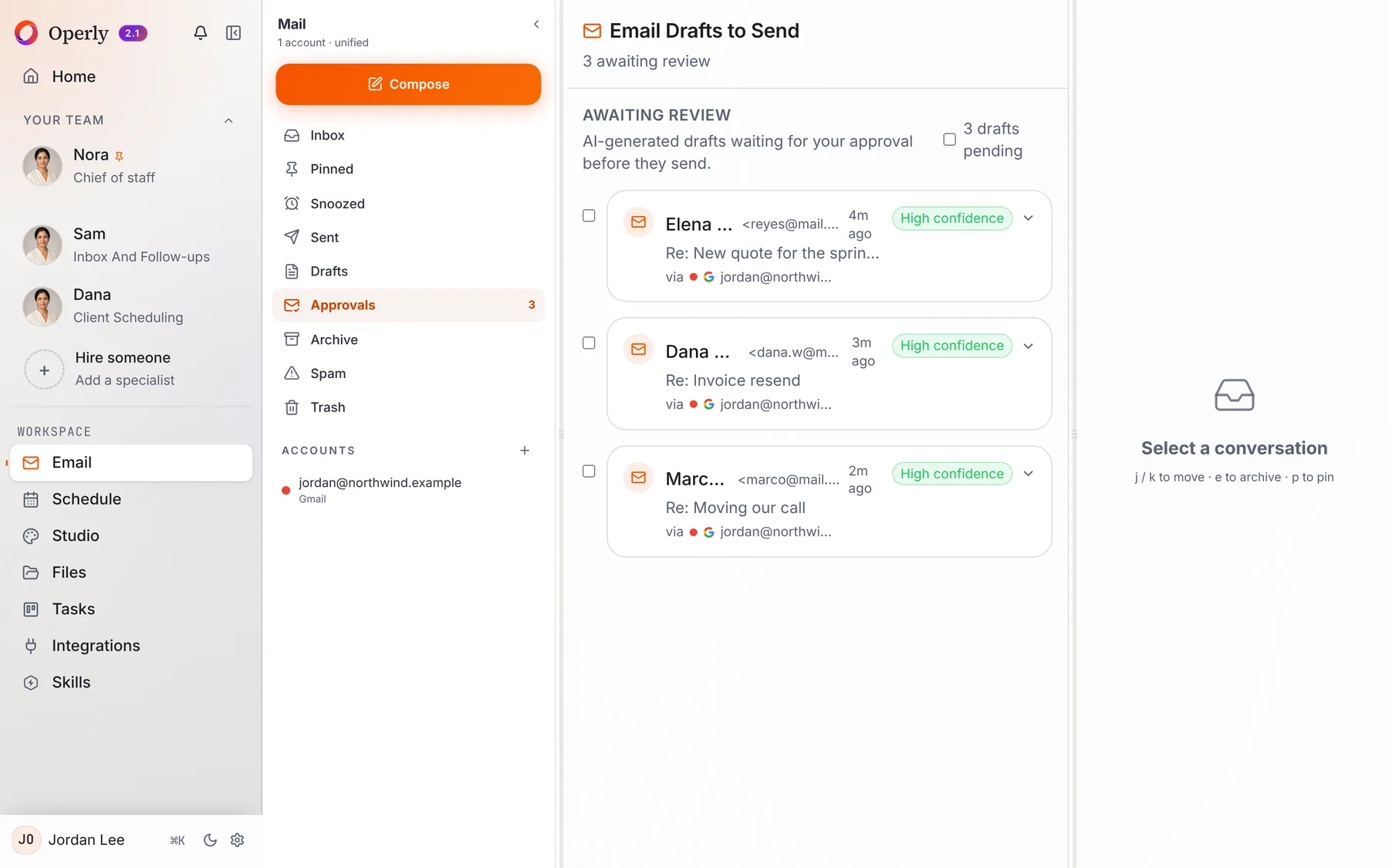
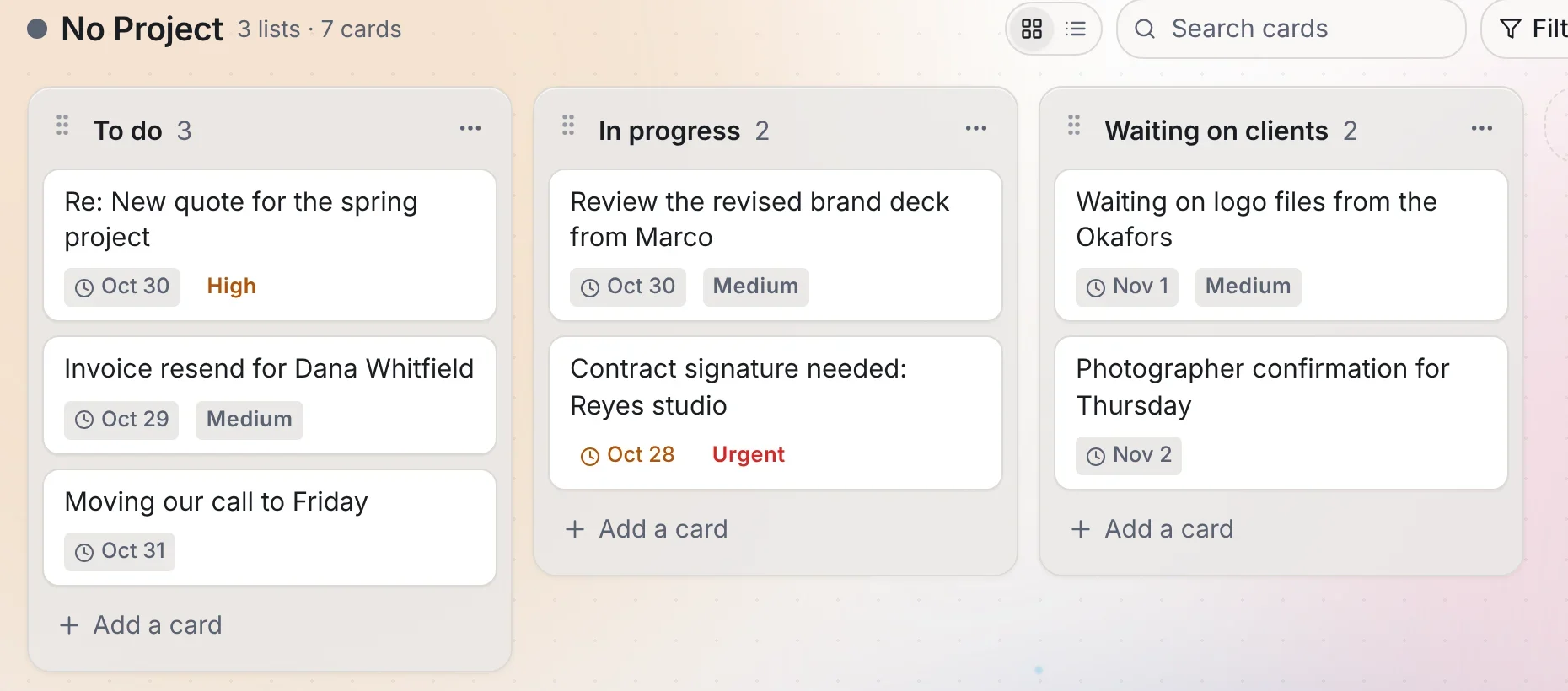
Real screens from Operly. The workspace and every name in them are made up.
Yes. Pro includes 3 seats and Business includes 20, so a small team can work in the same place.
Yes. Studio creates images, video, slideshows, social posts and blog posts, and saves them to your library.
Ask your team members for drafts and read each one first. Your team carries out the sends you ask for, so ask for drafts when you want to read first.
Pick one thing you keep doing yourself, ask your chief of staff to handle it, and see how it feels.
Start delegating