
AM
Alicia MooreRecently changed careers and posts about feeling stuck.
New prospectHi Alicia, I saw you are in the middle of a big career change. I coach people through exactly that and would be glad to offer a short intro call if it would help.
For coaches and consultants
Your value is in the conversation. The follow-up, the notes and the course content around it are what eat your evenings. An AI assistant for coaches and consultants should take them on, and Operly gives you team members that do.
Your income depends on steady content and an engaged audience.
Also finds you new clients. See how →Try it: find your next clients
Describe your ideal customer once and set it as a routine. Your team members research on a schedule and bring you prospects with a drafted introduction for each. You choose who to contact, and each introduction is drafted for you to read. This is an example with made-up people.
 Chief of staffYour team
On it! I found 3 clients worth a look, each with a drafted introduction. Keep the ones you like.
Hi Alicia, I saw you are in the middle of a big career change. I coach people through exactly that and would be glad to offer a short intro call if it would help.
Hi Ben, I saw your question about leadership books. I work with new managers on this, and I would be happy to share what I recommend and how I coach it.
Hi Nia, congratulations on the promotion. The first months can feel like a lot. If you would like a thinking partner, I offer a free intro conversation.
Drafts stay with you until you send them.
Try it: after-session follow-up
Say the request once. Your team members draft a short recap for each client you saw this week, based on your notes. Pick a client to see the draft, then approve it or change it yourself. This is an example with made-up clients.
Chief of staffYour teamSend my clients a recap of this week’s sessions.
On it! The drafts are ready for you to read. Pick one to open it.
This week’s sessions
Hi Hannah, thank you for a thoughtful session. We talked about setting boundaries with your team. Your next step is to try the script we wrote in one conversation this week and notice how it goes. I would love to hear about it next time.
Drafts stay with you until you send them.
Sound familiar?
Admin and follow-up after every session
Remembering what each client told you
Course content takes time you do not have
What you can hand off
These are the kinds of requests coaches and consultants give their chief of staff. Your team members do the work and you review the result.
“Every week, look for people who could use my coaching and draft a short, friendly intro for each.”
Describe who you want to coach and set it as a routine. It researches on a schedule and drafts introductions for you to review. You choose who to contact, and each introduction is drafted for you to read.
“Send each client a follow-up after today’s sessions.”
A follow-up team member drafts a personal note for each client for you to review and send.
“Follow up with everyone who came to Thursday’s workshop.”
Your team member works from the attendee list you share and drafts a note for each person.
“Turn my workshop notes into a lesson outline, slides and a welcome email.”
Studio creates slideshows and drafts from your notes, and keeps them in your library.
“Brief me before each client call.”
When a new event with attendees is created, Auto Meeting Prep drafts a note from the title, attendees and time. Your morning briefing lists the day’s events with prep notes.
“Turn client emails into tasks with deadlines.”
Requests in client email can land on your task board with the date attached.
One request, start to finish
An illustration of how one request can play out, not a customer story.
“Follow up with today’s clients, sort my inbox and look for people who could use my coaching.”
Recaps get drafted from your notes, client email is sorted and a routine starts looking for people who could use your coaching.
The recaps and the new introductions are waiting. You adjust a few lines and send.
What stays with you
Your coaching and your judgment. You decide what Operly remembers about your clients, and you can review or clear it at any time.
What your team takes on
Your value is in the session. The work around it is what fills your evenings. Your team members take that part.
Skill does not bring in clients on its own, and a steady pipeline takes steady outreach.
With OperlyDescribe who you want to coach and set it as a routine. It researches on a schedule and drafts a friendly introduction for each. You choose who to contact.
Prospects who liked the call still need a nudge, and it is easy to forget.
With OperlyA follow-up team member drafts a note after every discovery call and a gentle nudge a few days later.
Clients get the most from a session when they leave with a clear step.
With OperlyGive it your notes. A recap and next step is drafted for each client for you to adjust and send.
Clients drift when they stop hearing from you between sessions.
With OperlyKeep your client list in a simple document, one name per line. A routine reads it on a schedule you set and drafts a short check-in for the clients who are due.
Back-and-forth over times and missed sessions cost real income.
With OperlyYour calendar and reminders sit in one place, and reminder and rescheduling messages are drafted for you.
Staying visible means writing even when you are fully booked.
With OperlyA content team member outlines and drafts your newsletter and posts from your own ideas.
The details of each client’s story are what make coaching personal.
With OperlyOperly keeps persistent memory and works from your notes, which you can review or clear any time.
In the app
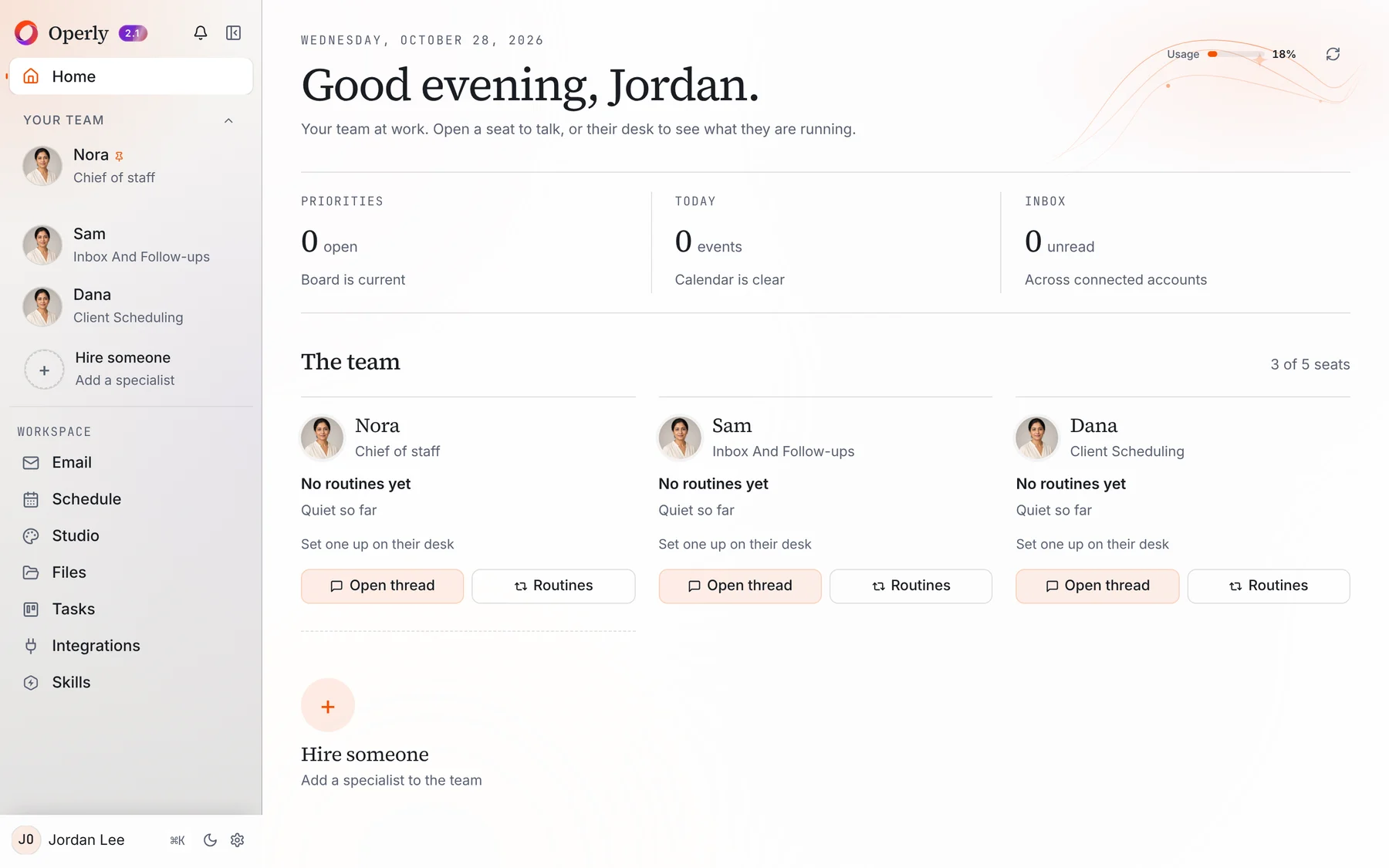
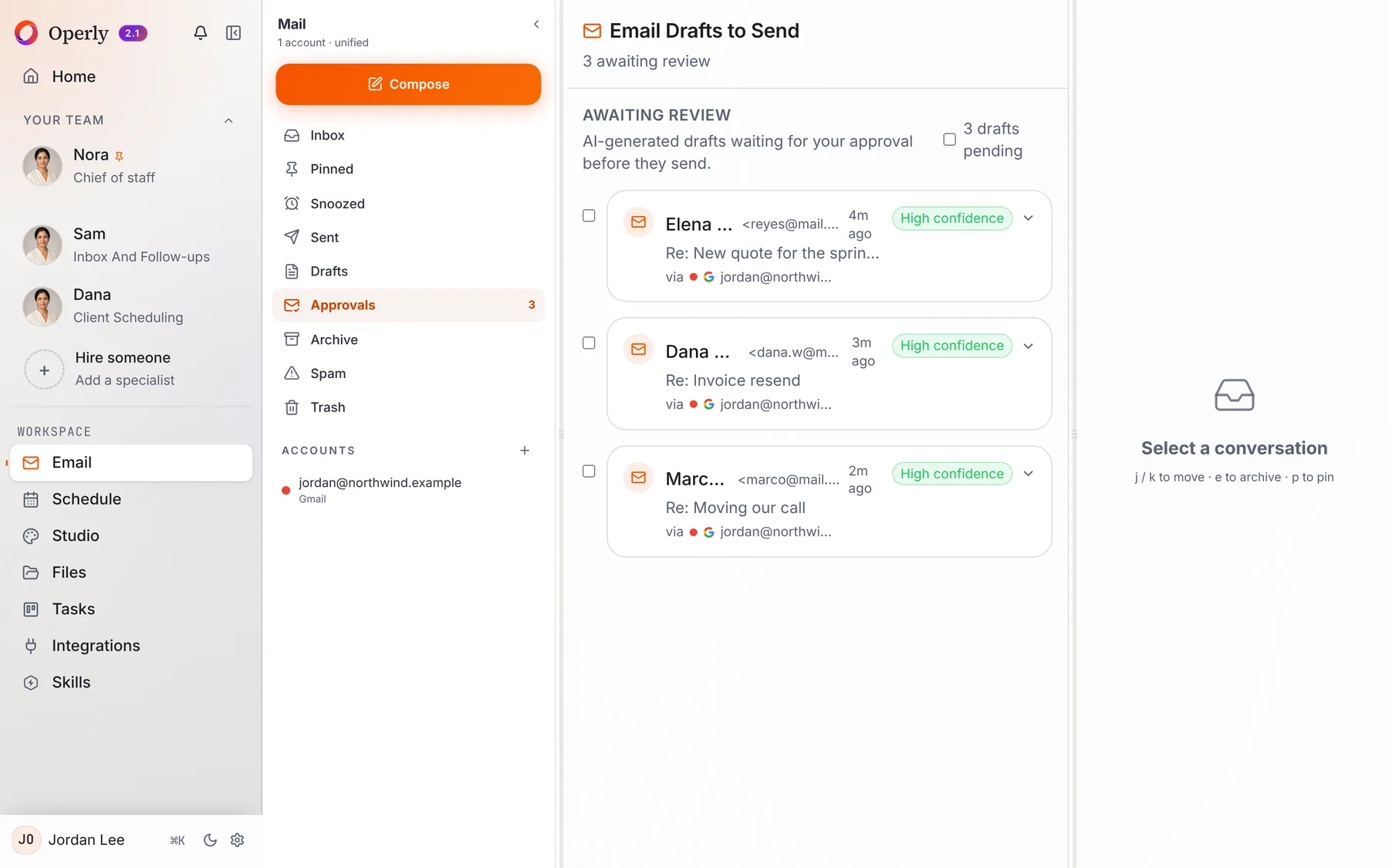
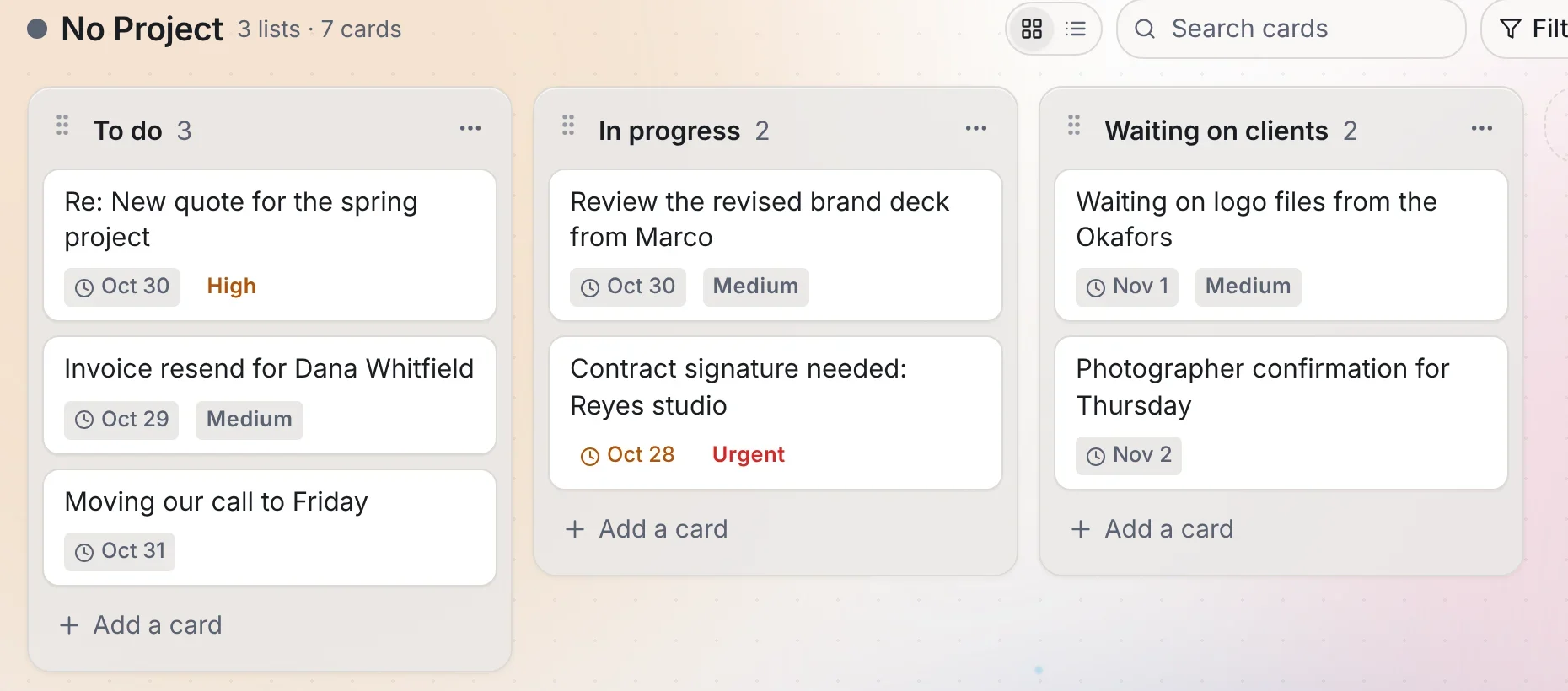
Real screens from Operly. The workspace and every name in them are made up.
Operly keeps persistent memory and works from your files. You can review, edit or clear what it remembers whenever you want.
Yes. Studio creates slideshows, blog posts and other drafts from your notes, and keeps them in your library.
Ask your team members for drafts and read each one first. Your team carries out the sends you ask for, so ask for drafts when you want to read first.
Pick one thing you keep doing yourself, ask your chief of staff to handle it, and see how it feels.
Start delegating