Every lead followed up, even when you’re out showing homes.
Leads go cold while you are in a showing. AI for real estate agents works best as a team: Operly gives you team members that find new prospects, draft the follow-ups, sort the inbox and create the listing content, so the work keeps moving between appointments.
Follow-up team memberDrafting open house follow-ups✓ Follow-ups ready
Content team memberWriting the listing post✓ Listing post drafted
Inbox team memberSorting buyer email✓ Buyer email sorted
Try it: find your next sellers
Find the next seller before they call anyone else.
Describe your ideal customer once and set it as a routine. Your team members research on a schedule and bring you prospects with a drafted introduction for each. You choose who to contact, and each introduction is drafted for you to read. This is an example with made-up people.
Operly
Chief of staffYour team
Searching on your schedule…
On it! I found 3 sellers worth a look, each with a drafted introduction. Keep the ones you like.
DW
Dana WhitfieldLong-time owner on Birch Court. Neighbors have recently listed.
New prospect
Hi Dana, I noticed a couple of homes on Birch Court sold quickly this spring. If you are ever curious what yours would bring today, I am happy to put together a quick, no-pressure estimate.
ML
Marcus LeeMentioned outgrowing his home in a recent neighborhood post.
New prospect
Hi Marcus, I saw you are thinking about more space. I help local families plan the sell-and-move timing so it is less stressful. Want a short list of what is available nearby?
EP
Ellen ParkInherited a property and may need help deciding what to do with it.
New prospect
Hi Ellen, I am sorry to hear about the loss. If it would help, I can walk you through your options for the house at your own pace. No pressure at all.
Drafts stay with you until you send them.
Try it: open house follow-up
Saturday’s open house, followed up in minutes.
Say the request once. Your team members write a personal note for every name on the sign-in sheet. Pick a visitor to see the draft, then approve it or change it yourself. This is an example with made-up visitors.
Operly
Chief of staffYour team
Follow up with everyone who came to Saturday’s open house.
On it! The drafts are ready for you to read. Pick one to open it.
Sign-in sheet
ToMaria Lopez
SubjectThanks for visiting Maple Street
Hi Maria, thank you for coming by the open house on Saturday. You mentioned the kitchen, and I would be glad to send the school zone details. Would Thursday work for a second look?
Drafts stay with you until you send them.
Try it: launch a listing
One set of details. A whole listing launch.
Give your team members the basics. They draft the post, the email, the slideshow outline and the description, ready for you to edit. This is an example, and the drafts are simple on purpose.
Fill in the details and press the button.
Social postEmail to your listListing descriptionSlideshow outline
Sound familiar?
Saturday’s open house leads are cooling off by Monday
Every new listing needs a post, an email and a slideshow
Buyer, seller and vendor email all land in one inbox
What you can hand off
Say it the way you would say it to a person.
These are the kinds of requests real estate agents give their chief of staff. Your team members do the work and you review the result.
Chat with your chief of staff
“Every weekday, look for new leads in my market and draft a short intro for each.”
What happens
Describe who you want to reach and set it as a routine. It researches on a schedule and drafts outreach for you to review. You choose who to contact, and each introduction is drafted for you to read.
Ready for your review
“Follow up with everyone who came to Saturday’s open house.”
What happens
A follow-up team member works from the sign-in list you share and drafts a personal note for each visitor. You review the drafts and send.
Ready for your review
“Sort my inbox so buyer and seller emails come first.”
What happens
Inbox rules star mail from the people who matter and move promotions out of the way. Requests in client email become tasks with deadlines.
Ready for your review
“Write a post, a short slideshow and an email for my new listing on Maple Street.”
What happens
Studio creates the social post, slideshow and email from the details you give it, and saves them to your library for you to edit.
Ready for your review
“Brief me on tomorrow’s showings.”
What happens
The Morning Briefing routine lists the day’s calendar events with prep notes, flags overdue work and suggests your top three priorities.
Ready for your review
“Draft this week’s update for each of my sellers.”
What happens
A routine pulls what you have noted for each listing and drafts a short update per seller. You edit the drafts and send them.
Ready for your review
“Pull my notes and files together for tomorrow’s listing appointment.”
What happens
Attach the files you want with the paperclip and ask for a one-page prep sheet. Your memory and files give your team members the context.
Ready for your review
“Every quarter, draft a check-in for my past clients.”
What happens
A routine runs on schedule and saves the drafts in its history for you to review. Drafts wait until you send them.
Ready for your review
One request, start to finish
One request. The whole team moving.
An illustration of how one request can play out, not a customer story.
You ask
“Follow up with Saturday’s open house, write the listing post and sort my buyer email.”
The team gets moving
Follow-up, content and inbox team members start at the same time. One drafts a note for every name on the sign-in sheet, one writes the listing post, one sorts buyer email.
You review
The drafts are waiting in one place. You edit what you want and send.
A customer story
“
Running real estate from a golf cart.
A real estate agent uses Operly voice to answer clients, create content and close deals, all from the golf course.
Ask for drafts and read each one first. Pricing advice, negotiation and anything about a client’s situation stay with you, and you stay responsible for the rules that apply to your business.
What your team takes on
Seven things that eat an agent’s week.
Most of them are follow-up in some form. Your team members take them on, and you keep the conversations.
01
Finding new customers
The pipeline runs dry the moment the busy season starts.
With OperlyDescribe the sellers and buyers you want to reach and set it as a routine. It researches on a schedule and drafts an introduction for each. You choose who to contact.
Past clients are the best source of referrals, and the easiest to forget.
With OperlyKeep closing dates in a simple list. A daily routine reads it and drafts a home anniversary note or market update for anyone whose date is coming up. You review and send.
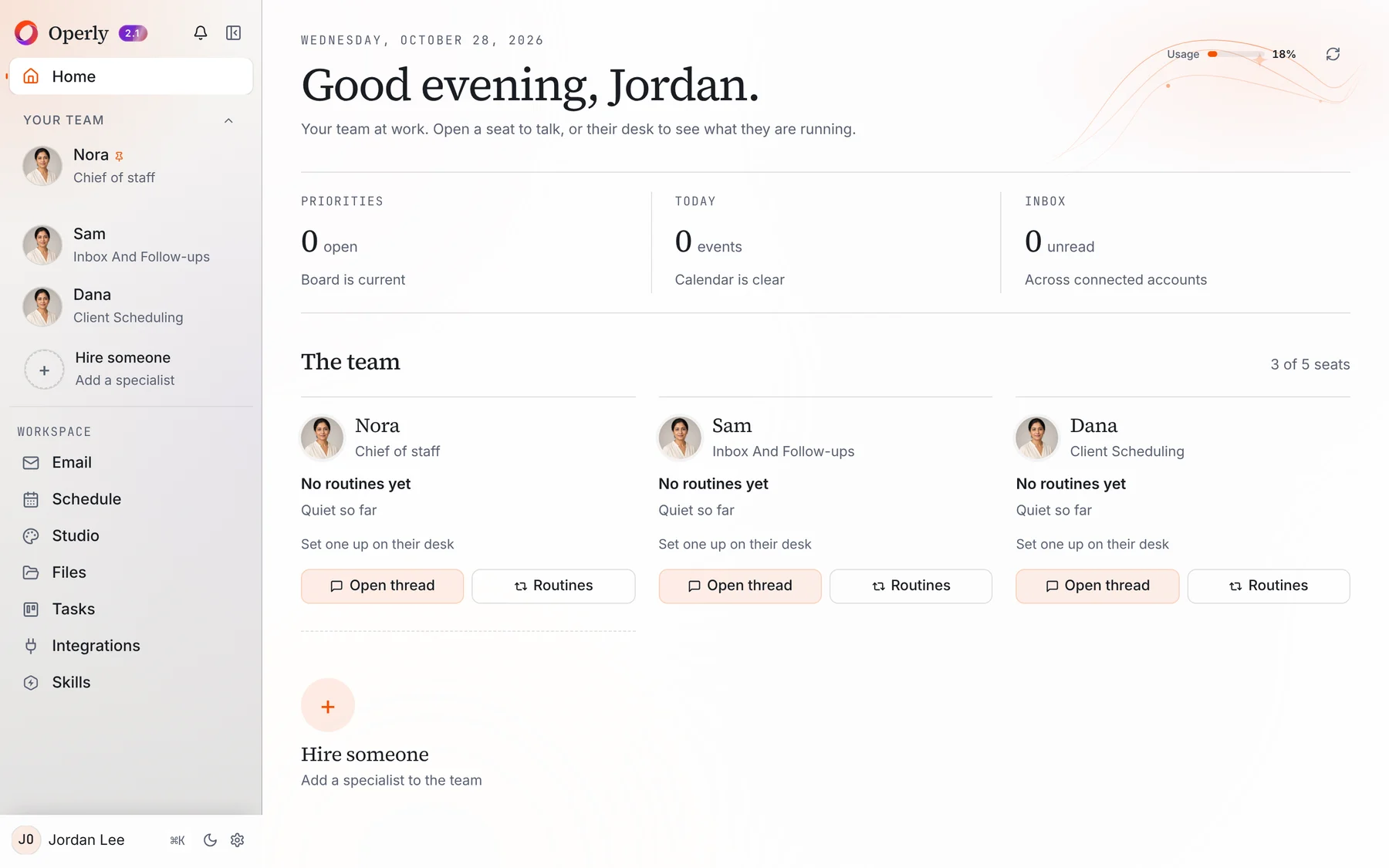
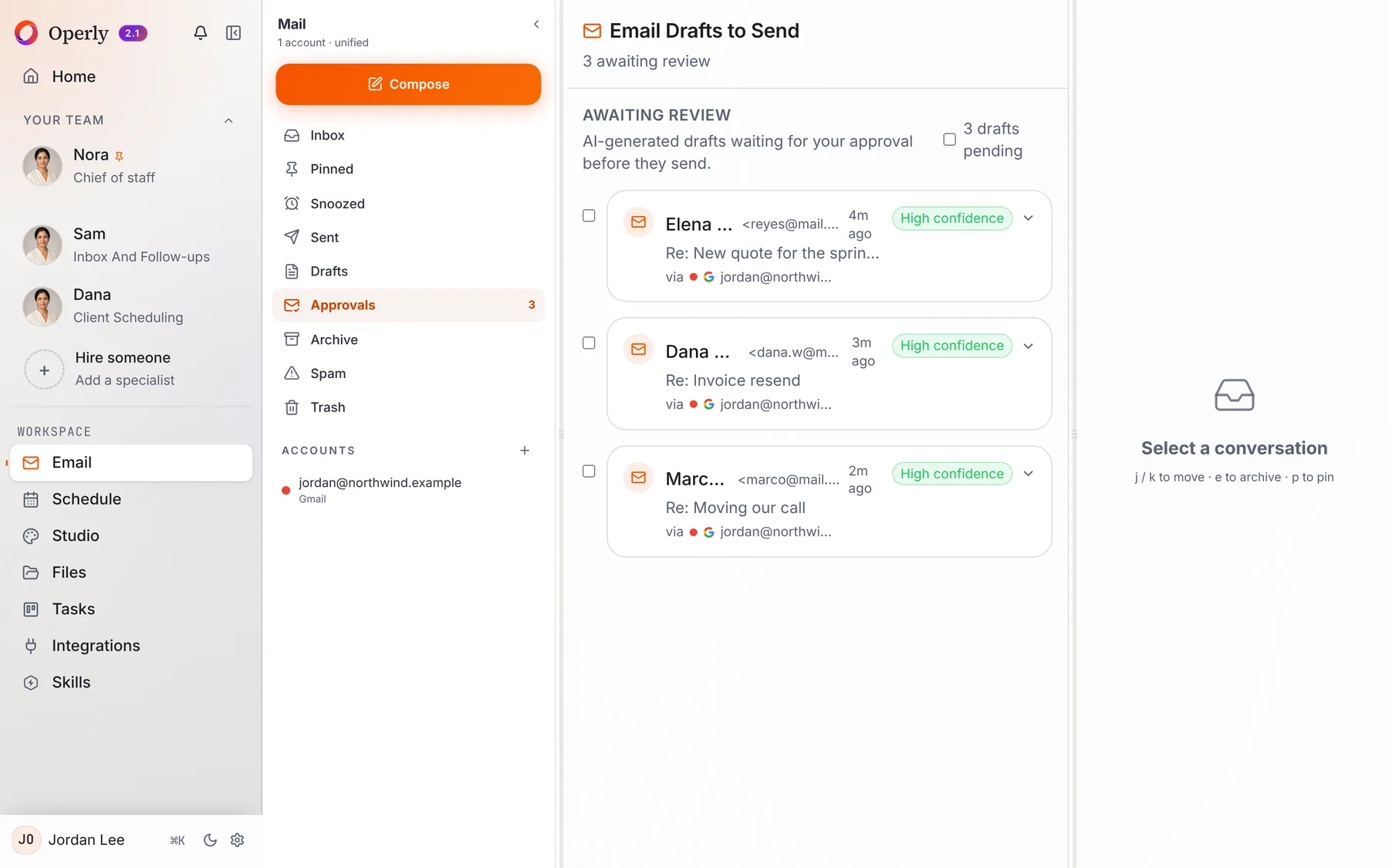
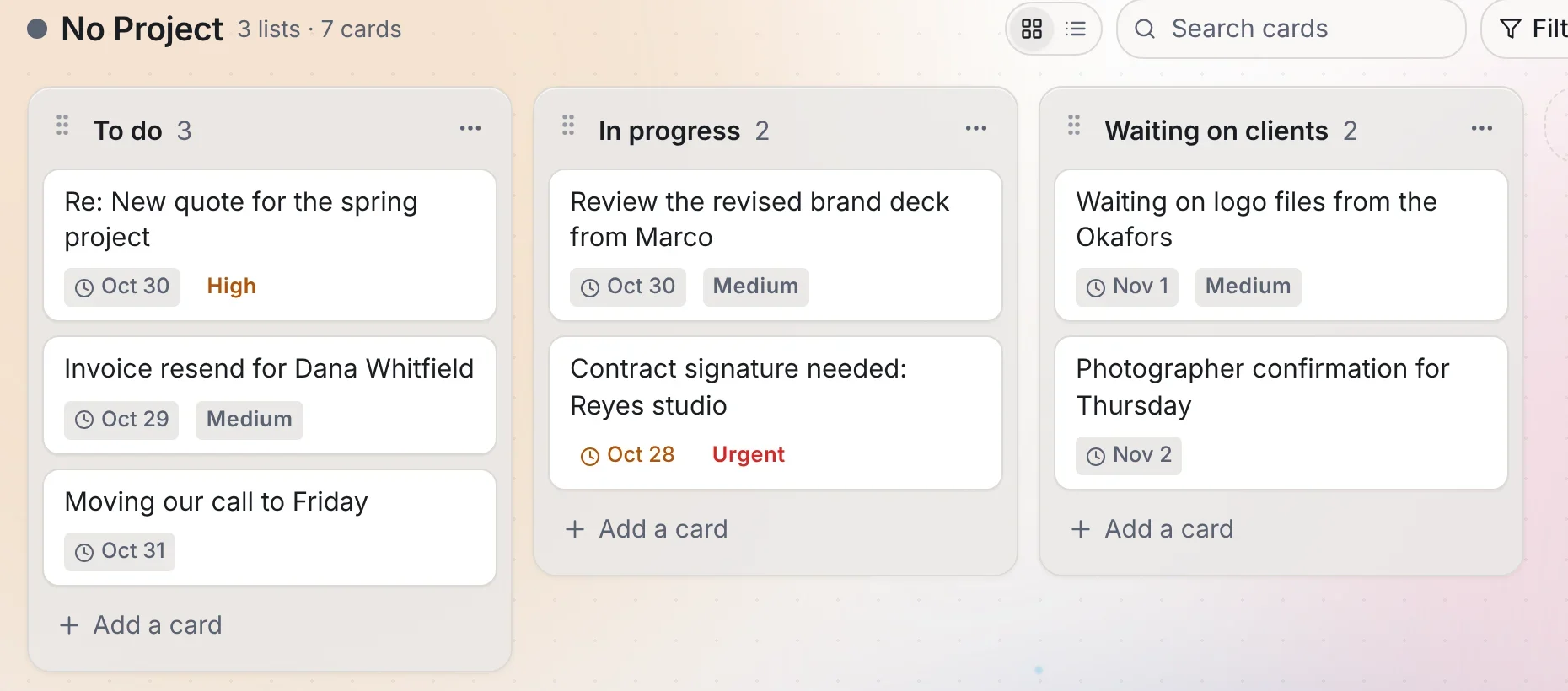
Real screens from Operly. The workspace and every name in them are made up.
Your team, in the sidebarYour chief of staff and each team member you create, with what each one is doing right now.Drafts waiting for your reviewReplies your team drafts land in the Approvals queue, where you read, edit and send them.Requests turned into tasksTasks your team creates from email and chat appear on your board with the date attached.

 Chief of staff