
Follow-up team memberReady
Drafts ready For small agencies
A small agency runs on client email, status updates and deadlines, and most of it lands on the owner. An AI assistant for small agencies should carry the routine part, and Operly gives you team members that do. You keep the relationships and the creative judgment.
Your income depends on trust, deadlines and every client feeling looked after.
Also finds you new clients. See how →Try it: find your next clients
Describe your ideal customer once and set it as a routine. Your team members research on a schedule and bring you prospects with a drafted introduction for each. You choose who to contact, and each introduction is drafted for you to read. This is an example with made-up people.
 Chief of staffYour team
On it! I found 3 clients worth a look, each with a drafted introduction. Keep the ones you like.
Hi, congratulations on the second location. A new opening is a good moment to refresh how you show up online. We are a small team and would be glad to share a few ideas.
Hi, welcome to the neighborhood. We help new local practices introduce themselves online. Happy to share what has worked for others, no obligation.
Hi, I saw you are looking for content help. We work with small brands on a steady content plan and would be glad to send over a few ideas.
Drafts stay with you until you send them.
Try it: weekly client updates
Say the request once. Your team members draft a short update for each client from this week’s notes. Pick a client to see the draft, then approve it or change it yourself. This is an example with made-up clients.
Chief of staffYour teamDraft this week’s update for each client from my notes.
On it! The drafts are ready for you to read. Pick one to open it.
This week’s clients
Hi, a quick update on the refresh. The new layout is ready for your review. To finish the gallery, we still need the product photos. Could you send them by Thursday so we stay on schedule?
Drafts stay with you until you send them.
Sound familiar?
Client email that turns into forgotten requests
Status updates written late on Friday
Prep for every client call, from scratch
What you can hand off
These are the kinds of requests small agencies give their chief of staff. Your team members do the work and you review the result.
“Every week, look for businesses that may need our services and draft a short intro for each.”
Describe who you want to reach and set it as a routine. It researches on a schedule and drafts introductions for you to review. You choose who to contact.
“Sort client email and draft a reply to each request.”
Plain-English inbox rules sort the mail, and replies are drafted for you. Ask for drafts and read each one before it goes out.
“Turn every client request in my email into a task with a due date.”
An inbox routine can turn a request in a client email into a task with the date attached, so nothing lives only in your inbox.
“Draft a status update for each client from this week’s notes.”
A follow-up team member works from the notes you share and drafts an update for each client for you to adjust and send.
“Write a prep note for each client call on my calendar tomorrow.”
Write the routine in plain English: when a new calendar event has attendees, draft a prep note from the title, attendees and time. It does not research the web.
“Turn this brief into a social post, a slideshow and a blog outline.”
Studio creates images, slideshows, social posts and blog drafts from a short brief and keeps them in your library.
One request, start to finish
An illustration of how one request can play out, not a customer story.
“Draft this week’s client updates, turn the requests in my inbox into tasks and prep me for tomorrow’s calls.”
Updates get drafted from your notes, client requests land on your board with dates, and prep notes are written from tomorrow’s calendar.
The drafts are waiting. You adjust a few lines and send the ones you want to send.
What stays with you
Your client relationships, your pricing and scope decisions, and the creative direction. Operly drafts and organizes the routine work. Ask for drafts and read each one before it goes to a client.
What your team takes on
Most of them are client communication in some form. Your team members take them on, and you keep the relationships.
New work comes from outreach, and outreach is the first thing to slip when clients are busy.
With OperlyDescribe who you want to reach and set it as a routine. It researches on a schedule and drafts an introduction for each. You choose who to contact.
A request arrives by email, you reply “will do” and it never reaches a task list.
With OperlyPlain-English inbox rules sort the mail. Requests become tasks with dates, and replies are drafted for you.
Clients want to hear from you, and the update waits until Friday evening.
With OperlyGive it your notes. An update is drafted for each client for you to adjust and send.
Each call starts with a scramble to remember where things stand.
With OperlyA routine can draft a prep note whenever a new calendar event has attendees, from the title, attendees and time.
A small request quietly becomes a bigger one.
With OperlyReplies to scope questions are drafted for you to check against what you agreed, so the answer is considered, not rushed.
Your own marketing is the first thing to go when client work piles up.
With OperlyStudio creates posts, slideshows and blog drafts from a short brief and keeps them in your library.
Tone, approvals and quirks live in your head.
With OperlyOperly keeps a memory you can read, edit and pause, and works from your files.
In the app
Real screens from Operly. The workspace and every name in them are made up.
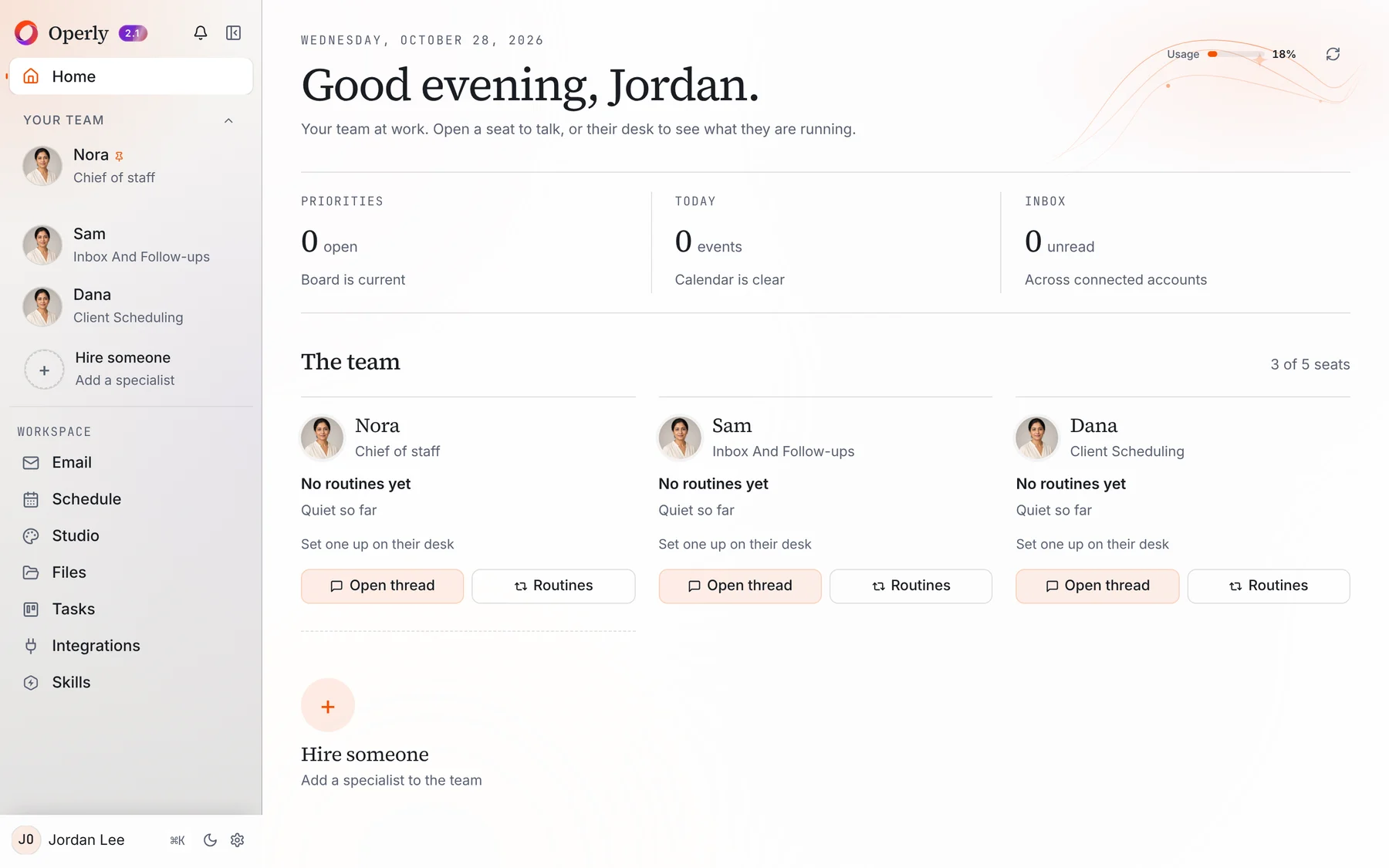
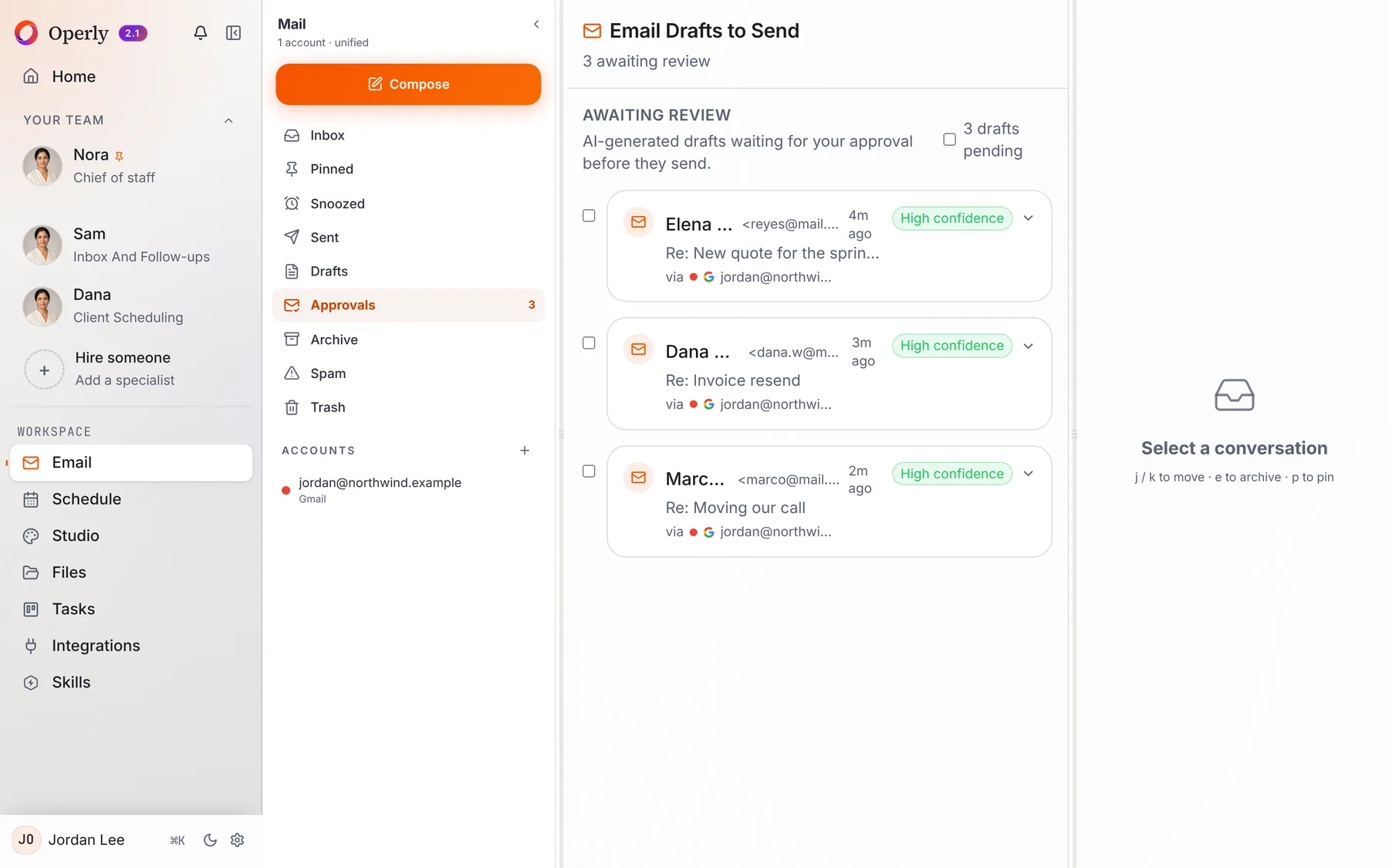
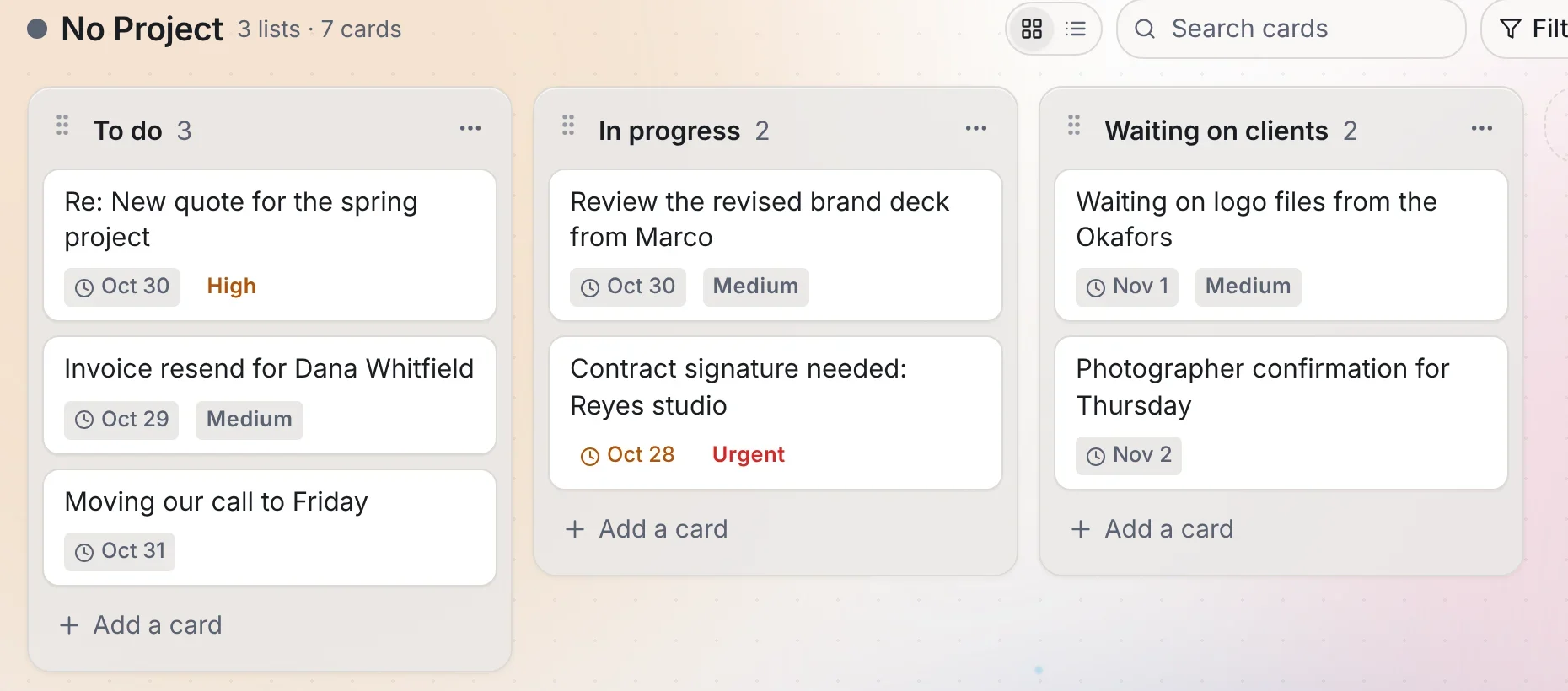
Operly keeps your requests on a task board and your calendar in one place, and drafts updates from your notes. It is not a full project management system.
Ask your team members for drafts and read each one first. Your team carries out the sends you ask for, so ask for drafts when you want to read first.
Yes. Describe the job and it creates a team member with a name and a role, then puts it to work. Your plan sets the number of seats.
Pick one thing you keep doing yourself, ask your chief of staff to handle it, and see how it feels.
Start delegating