
Delegate the work you can check in ten seconds. Keep the work only you can decide. That one rule answers most of “what can I delegate to AI.”
Here’s the real problem. You’ve heard AI can take things off your plate, but you don’t know which things, so you either hand over too much and get burned or hand over nothing at all. This post gives you seven jobs to start with, five to keep, and a four-question test for everything else.
How do I decide what’s safe to delegate?
A free course from OpenClassrooms boils it down to four traits of a good task. Use them as a checklist.
- Verifiable. You can tell whether the result is good.
- Low impact if wrong. A mistake is easy to catch and easy to fix.
- Well specified. There’s a clear goal, clear limits and an expected format.
- Light on human nuance. Little emotion, relationship or personal stance involved.
All four yes? Delegate it. One no? Keep it, or let AI draft while you decide. The same course says the higher the risk, the more human supervision a task needs, and that’s a good habit to build in from day one.
What are the first seven jobs to hand over?
Each of these is repetitive, easy to check and low-risk, and each one passes the test above. They’re written for the work most business owners actually do: email, calendar and follow-up.
- First drafts of routine replies. Questions with a known answer, scheduling back-and-forth, “any update?” emails. Your team writes the draft, you read it and send. See real estate lead follow-up and AI for insurance agents for worked examples.
- Sorting your inbox. Star the people you can’t miss, archive the noise. See the inbox zero guide.
- Turning requests into tasks. An email asks you for something, a task appears with the subject as its title. See how to turn emails into tasks.
- A morning briefing. What’s due, what’s on your calendar, your top three priorities. See how to automate a morning briefing.
- Meeting prep notes. Who, when and what it’s about, written before you join. See how to prep for meetings automatically.
- A weekly review. What got done, what’s overdue, what to start with Monday.
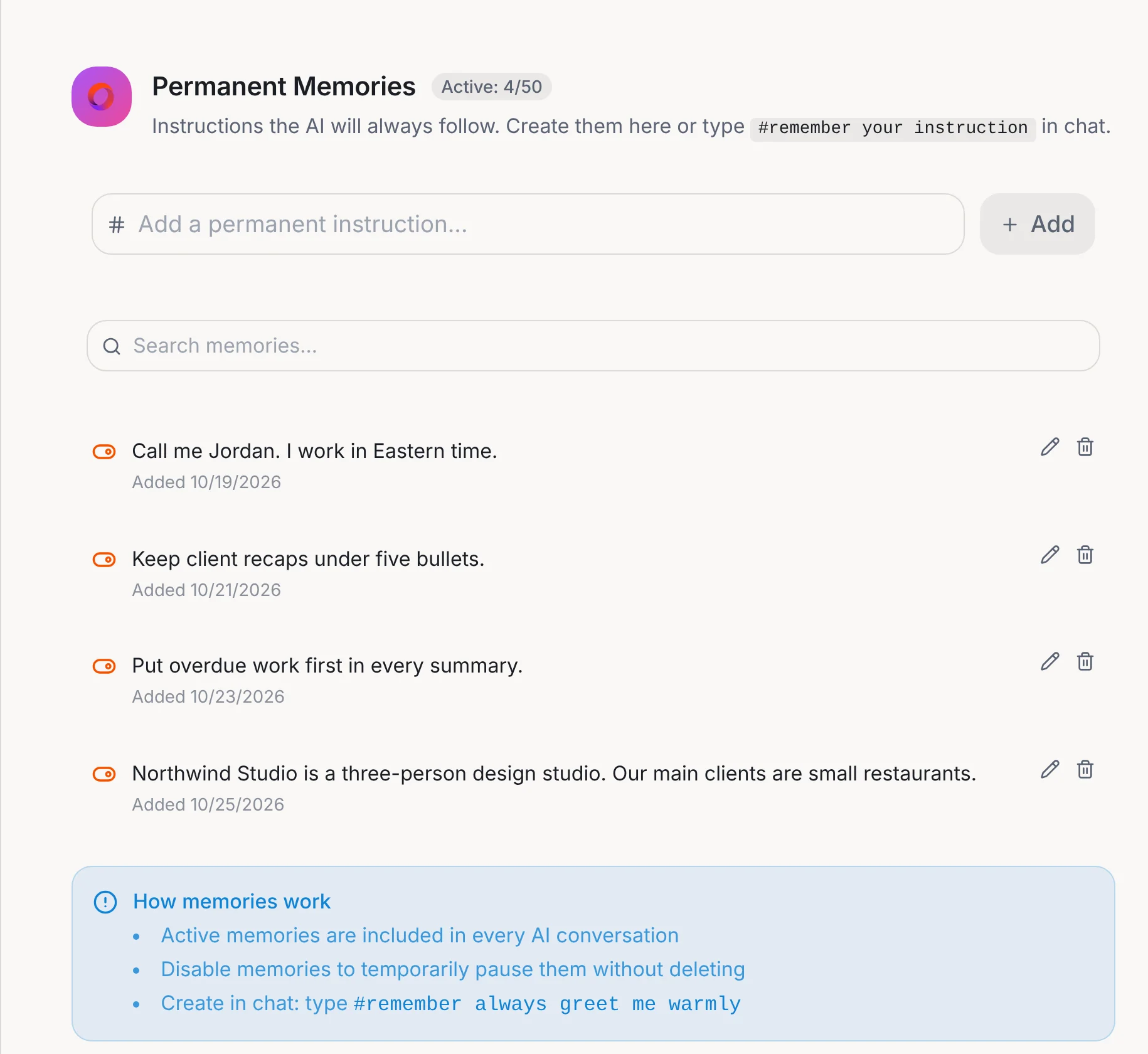
- Answers from your own documents and notes. Your preferences and your files, so you stop re-explaining. See AI that remembers.
Not every one needs to happen this week. Pick one.
What should I keep for myself?
Five things, and they pass none of the four questions.
- Price and money decisions.
- Complaints and bad news.
- Anything legal.
- Anything confidential or personal.
- Anything that carries your voice or your relationship. A draft can help you start. The words should be yours.
If you’re unsure, a good split from the course is to use AI as a thinking tool. Ask it to help you weigh a decision, not to make it.
Can I check the result in about ten seconds?
If it’s wrong, is it cheap and easy to fix?
Can I describe the job in one clear sentence?
Is there little emotion or relationship in it?
If all four are yes, delegate it. If one is no, keep it or let AI draft while you decide.
Tell your chief of staff what you need. Your team drafts it, and you read it before you send it.
What does that look like in Operly?
You tell your chief of staff what you need, and a team member gets to work. For email, that’s a draft for each message waiting for your review.
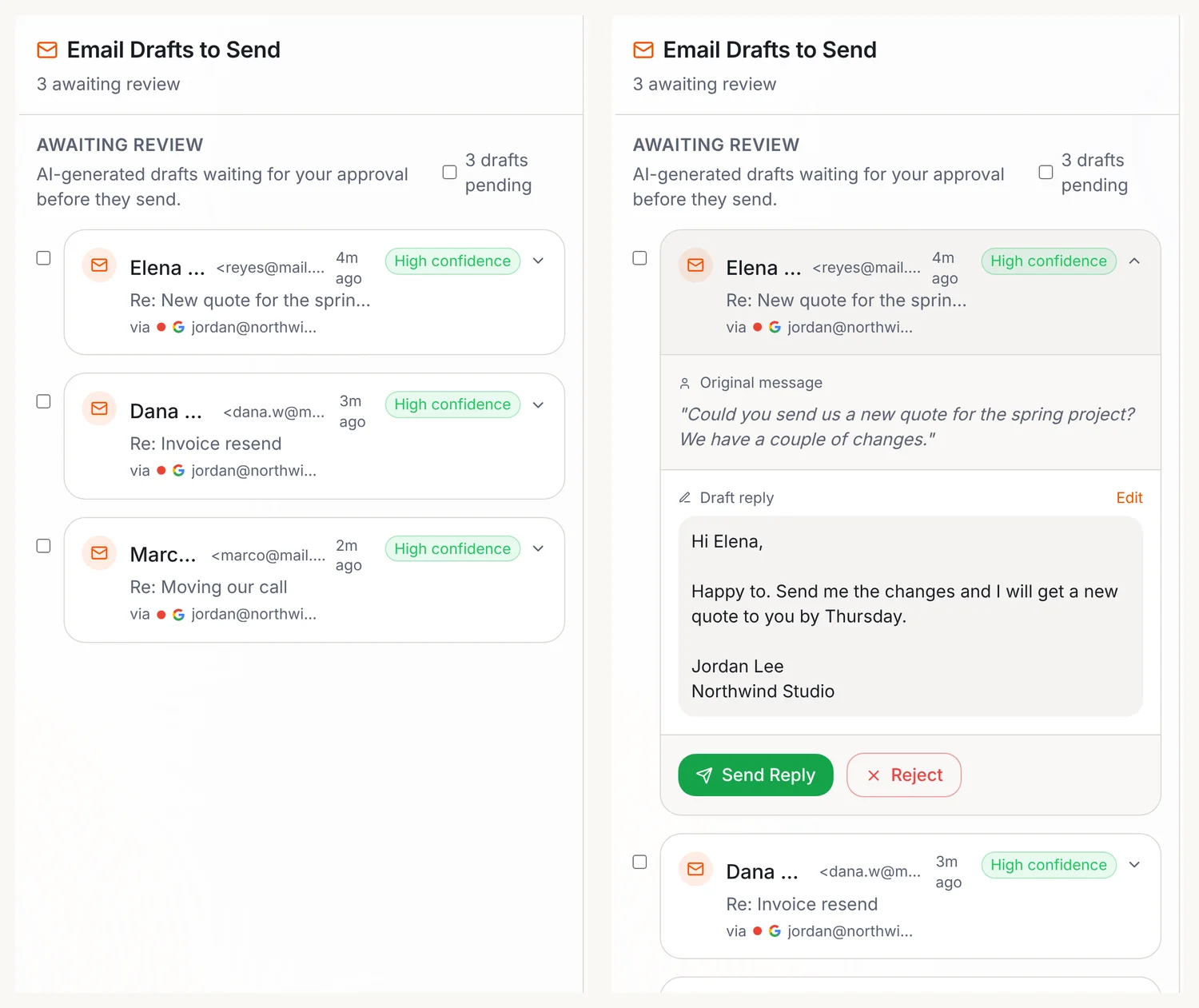
Drafts your team writes in the background wait in Email, then Approvals. Your team carries out the sends you ask for, so ask for drafts when you want to read first.
For recurring jobs like the briefing, meeting prep and weekly review, you write what you want as a sentence and give it a trigger. In Operly, that’s a routine.
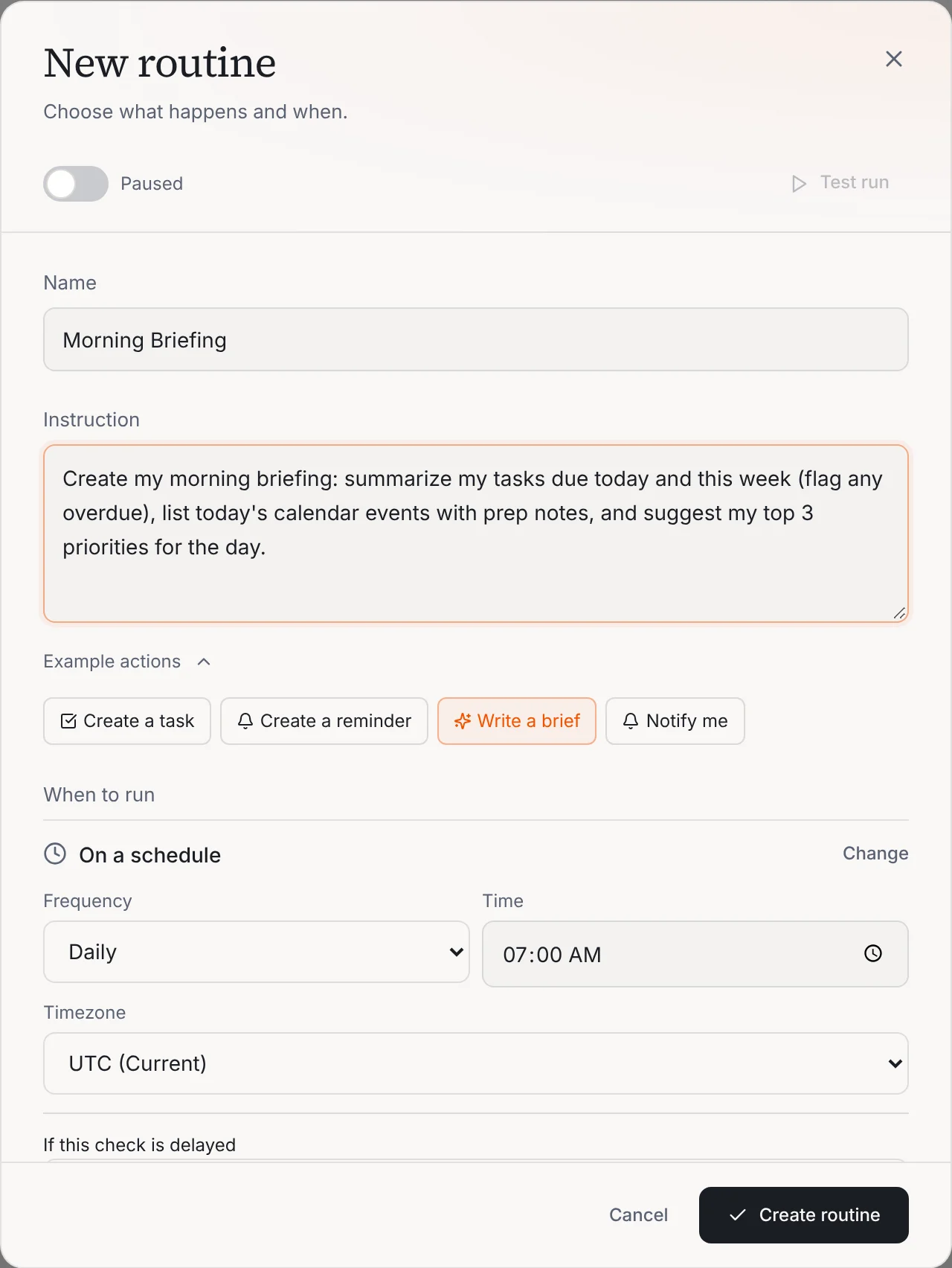
Operly has a Weekly Review routine too. It runs on Fridays at 5:00 pm and writes a review of what you completed, what’s overdue and what to prioritize next week, saved as a document. And for the last job, your preferences and files live in Settings, Memory, where you can see, edit and pause them.
New to Operly? Start with how to connect Gmail and Google Calendar.
What’s a good first week?
- Day 1. Pick one job from the list.
- Day 2. Set it up and write the instruction as one clear sentence.
- Days 3 to 5. Read what comes back. Fix the sentence, not the output.
- Friday. Ask three questions: what finished without me, what needed my judgment, and did anything useful actually move?
- Next week. If it works, add the second job.
One at a time beats seven at once.
What goes wrong when people delegate to AI?
A University of Hong Kong guide lists the four mistakes it sees most: the one-line brief, skipping the review, putting confidential data in the wrong account, and delegating the decision instead of the task. Its fix for the last one is a good line to keep: delegate the analysis, keep the call.
Your next step
Pick one of the seven. Write one sentence for it. Read what comes back before it goes anywhere. When you’re ready, see how routines work, or read why you stopped using AI.
Deciding between an AI team and a person? See Operly vs a virtual assistant.

We build Operly, an AI team for business owners. Your chief of staff hands the work to team members who follow up, draft and organize, and you keep the decisions. About Operly · Watch the demo