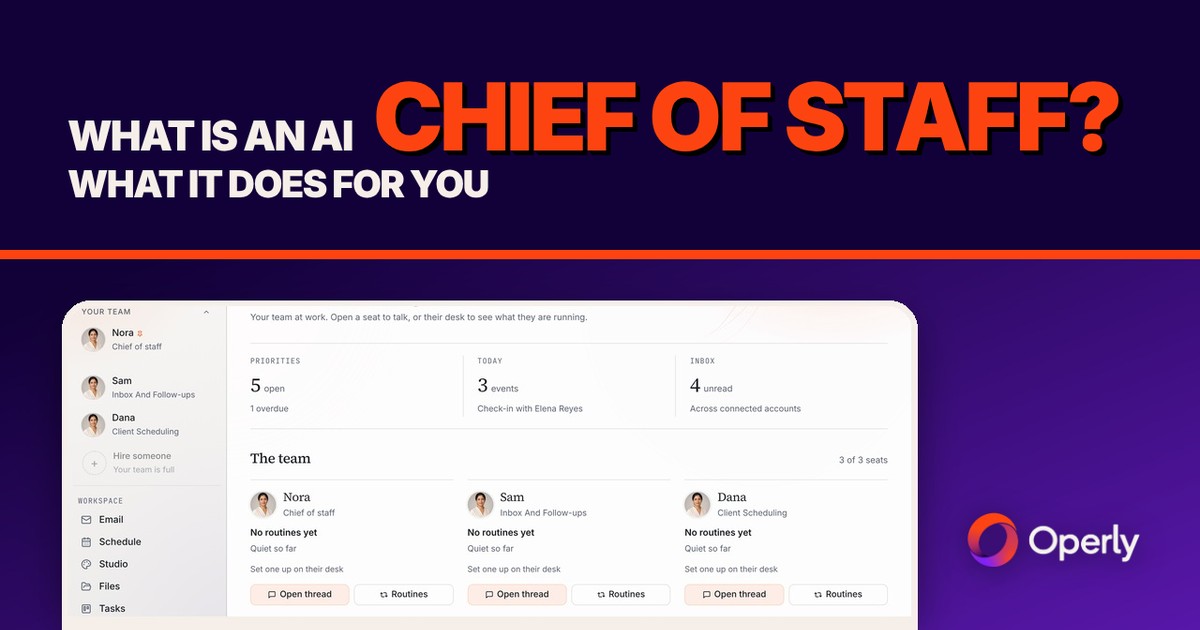
An AI chief of staff doesn’t do one job. It decides who does which. You tell it what you need. It works out who should handle each part, keeps the work moving, and comes back to tell you what happened.
Here’s the plain answer for a business owner: what a chief of staff does, how an AI one differs from an AI assistant and from a person, what to hand it and what to keep, what to check before you choose one, and how it works in Operly, with real screens.
What is an AI chief of staff?
It’s software that plays the coordinating role in your business. Four verbs cover it:
- Takes what you say, in plain words.
- Decides who should do what.
- Keeps the work moving.
- Reports back.
That’s the job. A chief of staff isn’t the person who does every task. It’s the person who makes sure the right person does each one, and that you hear about it.
Some people assemble their own from separate tools. This post is about a ready-made one. In Operly, the chief of staff is the one you talk to, and the team members are the ones you create, each with a job.
What does a chief of staff actually do for a business owner?
Picture a Monday. You say: “Elena wants a new quote, Dana needs last month’s invoice again, and Marco wants to move our call to Friday.”
That’s three jobs for three kinds of work: a quote draft, a document to find and send, and a calendar change. If you do it yourself, you open three tabs and context-switch three times. With a chief of staff, you say it once.
With a team set up that way, it sorts the pile: the quote goes to whoever handles client replies, the invoice to whoever handles billing, the call to whoever handles scheduling. It watches the three jobs. Then it tells you where each one stands.
You aren’t managing the work. You’re reading a report on it.
How is an AI chief of staff different from an AI assistant?
An AI assistant does one job at a time. You ask, it does, and you decide what comes next. That’s useful, and it’s still you doing the coordinating.
An AI chief of staff coordinates a team. It takes the bigger request, splits it, hands the parts to different team members, and brings the results back. You give one instruction instead of five.
Here’s a quick test. When you give it a request with three parts, who splits it up: you or the software?
If you want the one-job-at-a-time version done well, read what an AI executive assistant can do and what is an AI virtual assistant. They go job by job. This post is about the layer on top.
How is it different from a human chief of staff or executive assistant?
It’s a sorting job, not a contest.
A person is better at the parts that need a human: relationships built over years, judgment about when a rule should bend, phone calls, errands, being in the room, and strategy. If a job needs a human voice, a human face or a human memory of your business, hire a person.
An AI chief of staff is better at coordinating the repeatable written work: sorting what came in, handing it to the right place, tracking it, and reporting, at any hour, the same way each time. It doesn’t get busy or distracted. It also doesn’t know you the way a person does, so you still read what it writes.
Plenty of owners end up with both. Our virtual assistant vs AI post has a 15-minute task sort that tells you which pile each job belongs in.
What should I hand to an AI chief of staff, and what should I keep?
Hand over the coordination and the first drafts. Keep the decisions.
Hand it:
- The sorting. What came in, what’s urgent, and who should deal with it.
- First drafts. Replies, follow-ups, briefs and meeting notes you’ll read before they go anywhere.
- The tracking. Turning “can you send me the invoice?” into a task with a date, and checking it got done.
- The hand-offs. Which team member takes which part of a request.
- The report. What finished, what’s waiting, and what needs you.
Keep it:
- Prices and quotes. One wrong number is now in writing.
- Complaints and bad news. Tone matters more than speed.
- Money, legal and contract questions. These are yours.
- First contact with someone important. You only get one first impression.
- Anything that carries your voice and your relationship. A draft can start it. The words should be yours.
What can I delegate to AI first has seven starter jobs and a four-question test for anything not on this list. And if the real problem is that everything runs through you, read how to stop being the bottleneck.
What should I check before I choose an AI chief of staff?
Run any product through these seven questions, ours included.
Does it coordinate, or just answer? Give it a request with three parts. Does it split it and hand the parts out, or do you?
Can you see who is doing what? Look for a live status for each team member, not just a result at the end.
Can you create team members for your own jobs? And how many does your plan allow?
What happens to a draft? Does it wait for you, or can it send? Can you choose?
Does it work inside your real accounts? Email, calendar, tasks and files, or only a chat box?
Can you read what each one did? A history you can open beats a summary you have to trust.
Is there a plain statement on how your data is handled? Read it before you connect your email. Don’t rely on a sales page or a blog post, including this one.
If a product can’t answer one of these in plain words, treat that as your answer.
How does an AI chief of staff work in Operly?
Operly is an AI team: a chief of staff you talk to, plus team members you create, each with a job. They work inside your real email, calendar, tasks and files. The screens below use a made-up studio, Northwind Studio.
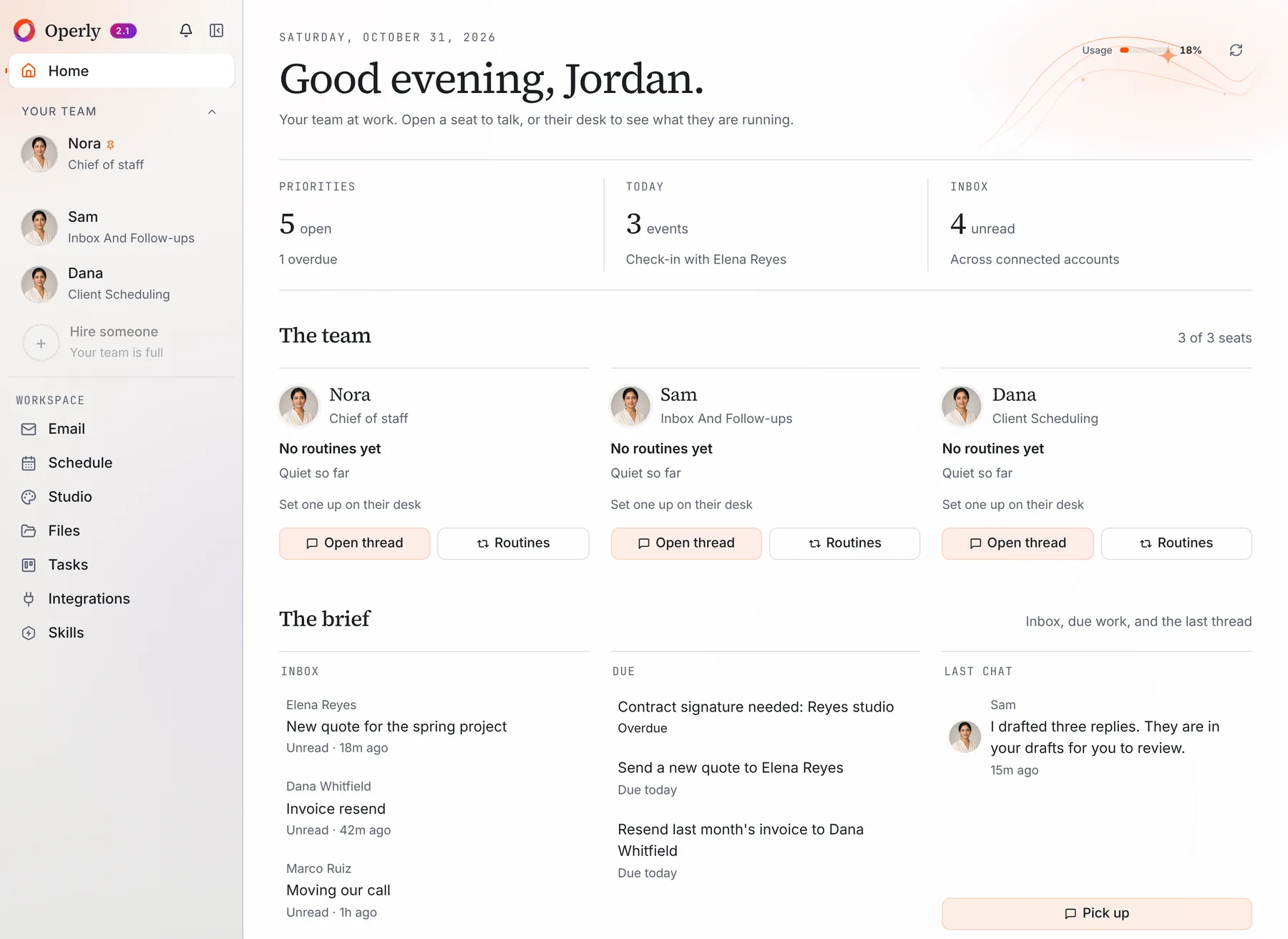
Your team at a glance. Home shows your team: the chief of staff and each team member, with what each one is doing. Above it, three tiles show Priorities, Today and Inbox. Your plan sets how many seats your team has.
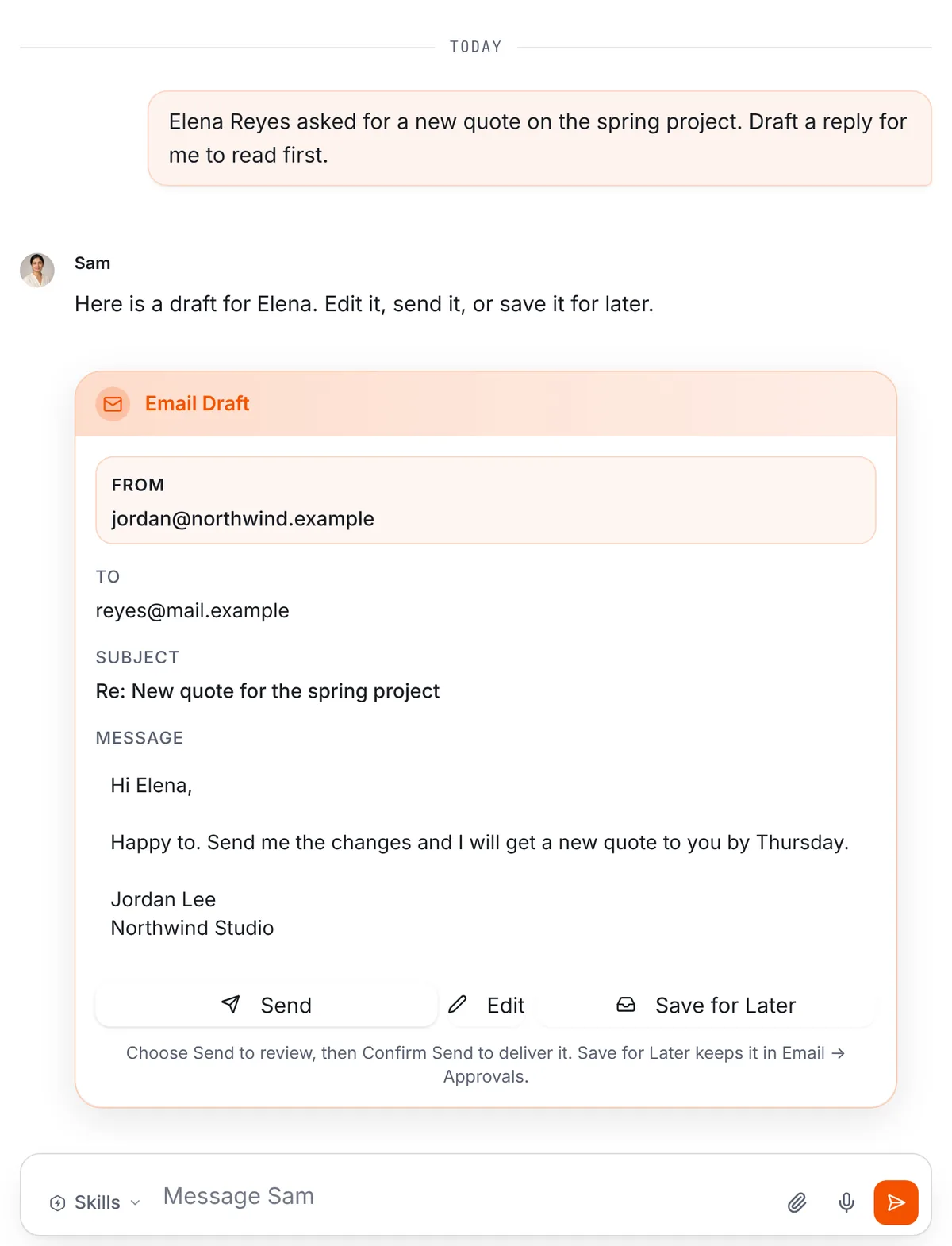
You talk to your chief of staff. Open its thread and say what you need, in plain words. If you name a team member, for example “ask Sam to draft a reply to Elena”, the chief of staff hands it to that person. If you don’t name anyone, it decides who can best help.
It hands the work to your team. A hand-off is a written brief that goes to the team member, so the brief has to hold everything that person needs. The team member works in its own thread. If it’s busy, the job queues behind what it’s already doing. Ask your chief of staff to report back when they finish, and it gathers what came back into one short report.
A team member that gets stuck asks the chief of staff first. The chief of staff answers from what you asked for and what it already knows. If the answer depends on you, you get one short question.
You can see each one’s status. In the team list, the line under a name shows what that person is doing: Working, Needs you, or Stopped. When nothing is running, it shows their role, as in the screen above. The same flag shows on their card on Home. And when your chief of staff hands a job over, the hand-off appears in the thread as a card with the team member’s name and a status: Queued, Working, Needs you, Replied or Failed. It updates as the work moves.
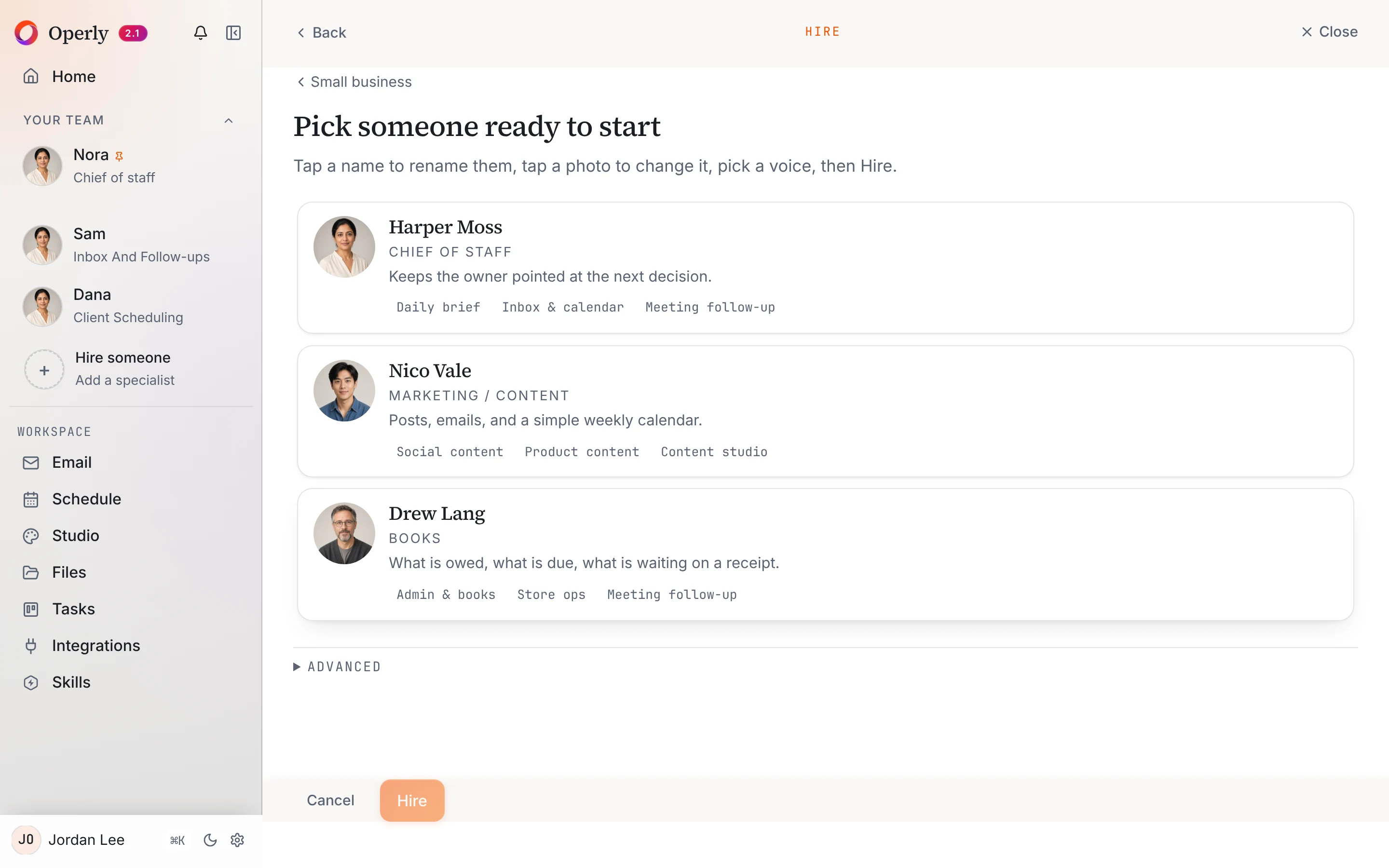
Making a team member. Choose Hire someone and pick the kind of work you do. Operly shows three people ready to start for that kind of work, or you can create your own and write the job yourself. You can also just ask your chief of staff to hire one.
What your chief of staff does itself. It isn’t only a switchboard. It can read your email and check your calendar, create tasks and reminders, and write documents. It can also hire and edit team members for you.
Two things it won’t do without your explicit yes. Removing a team member, and deleting a calendar event. That holds even when the request goes through your chief of staff.
Who sends? Your team carries out the sends you ask for, so ask for drafts when you want to read first. With your chief of staff, say “draft it” when you want to read first.
Files. In a thread, use the paperclip to attach a file, then ask your question about it.
Jobs that repeat. A routine is a job written as a sentence with a trigger, such as a schedule or a new email arriving. Open a team member’s desk and select Routines to set one up. Read more on the routines page.
Plans. Pro is $50 a month, or $500 a year with two months free, for 3 seats. Business is $200 a month, or $2,000 a year, for up to 20 seats and adds premium voice calls with your team and five times the premium usage. Both plans include the workspace computer your team uses for browser work. See pricing.
For what Operly stores and how your data is handled, read the Security page rather than a summary here.
Meet your chief of staff, say what you need in one sentence, and read what comes back before it goes anywhere.
What should I try first?
Give it one request with more than one part.
- Day 1. Start at Get started and connect your email and calendar. Pick one kind of work to hand over first.
- Day 2. Tell your chief of staff what you need in one clear sentence. Ask for drafts, not sends.
- Days 3 to 5. Watch the status lines and read what comes back. Fix the sentence, not the output.
- Friday. Ask three questions. What finished without me? What needed my judgment? What do I want to hand over next?
For an easy first win, set up a morning briefing with AI. To see the whole flow first, take the demo or read how it works.

We build Operly, an AI team for business owners. Your chief of staff hands the work to team members who follow up, draft and organize, and you keep the decisions. About Operly · Watch the demo