
It’s not a contest between a virtual assistant and AI. It’s a sorting job: which tasks do you want gone, and who should carry each one? That’s the question under every “virtual assistant vs AI” search, and it has a better answer than “it depends.”
Here’s the honest version. Most comparisons you’ll find were written by a virtual assistant agency or an AI vendor, so each one leans toward what it sells. We make Operly, an AI team, so we lean too. What follows tries to be fair: what a person does better, what AI does better, where an AI team member is different from a chatbot, and a 15-minute task sort so you can decide for your own week.
What does a virtual assistant do better?
A good virtual assistant is a person, and a person can do things software can’t.
- Phone calls and anything live. Calling a client, rescheduling by voice, handling a call that goes sideways.
- Errands and in-person work. Anything that happens outside a screen.
- Judgment built over time. A VA who has worked with you for a year knows which clients get a call and which get an email.
- Tools your AI doesn’t touch. Custom systems, portals, one-off software.
If a task needs a human voice, a human face or a human memory of your business, hire a person.
What does AI do better?
The first pass on repetitive written work, at any hour, without being asked twice.
- Drafting replies to the emails you get every week.
- Sorting and flagging mail so the important thing doesn’t sit under a pile.
- Keeping tasks and a calendar tidy.
- Doing the same job the same way every time.
It won’t get bored, forget, or need a day off. It also won’t know you, so you still read what it writes.
Is an AI team member just a chatbot?
No, and the difference matters. A chatbot is a box: you type a question and it answers. You do the work. An AI team member is closer to a colleague with a job.
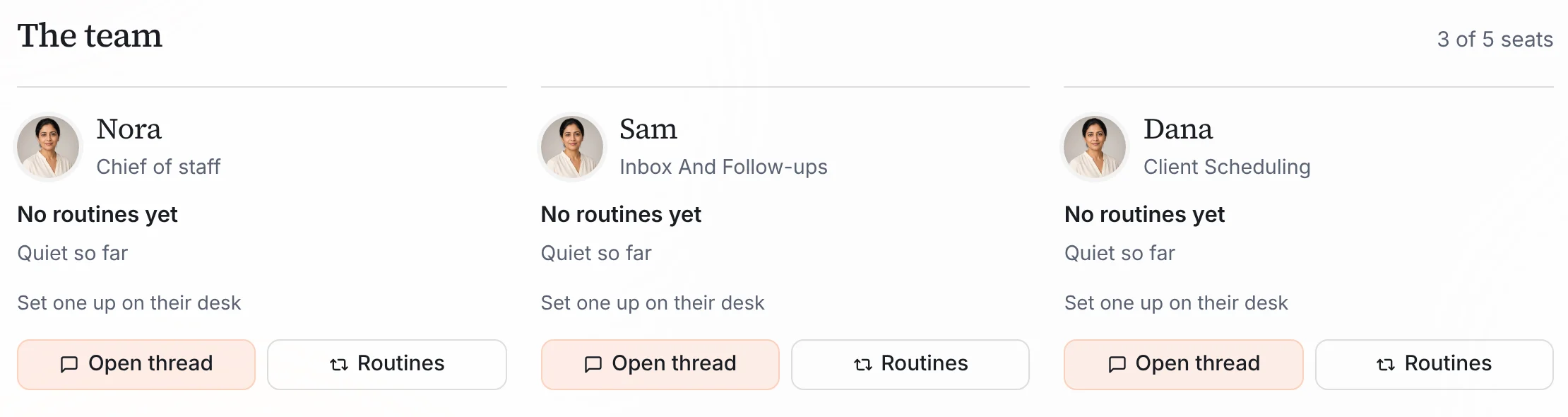
In Operly, you get a chief of staff and team members, each with a role, such as inbox and follow-ups. They work inside your real email, calendar and tasks. You can give one a routine that runs when something happens, like a new email arriving. And when it writes a reply, it hands you a draft to review.
How do I decide who gets which task? A 15-minute sort
Write down everything you did last week that wasn’t the work only you can do. Then sort each task into one of three piles.
Give to an AI team member: replying to routine emails, sorting and flagging mail, first drafts of follow-ups, turning requests into tasks, keeping the calendar tidy.
Give to a human assistant: phone calls, errands, anything in person, anything that depends on knowing the client over time.
Keep for yourself: pricing, a complaint, bad news, a decision, anything with your name and judgment on it.
Count each pile. If the first is big, start with AI. If the second is big, hire a person. If you have both, use both. Nearly every comparison reaches that same answer.
Ask your AI team to draft replies to this week's routine email, and ask for drafts when you want to read first.
What does the AI part look like in practice?
Here’s the first pile, done. You tell your chief of staff what you need, for example “Reply to this week’s client emails.” Your inbox team member writes a reply to each one. They arrive as drafts. You open one, change anything you like, and click Send Reply.
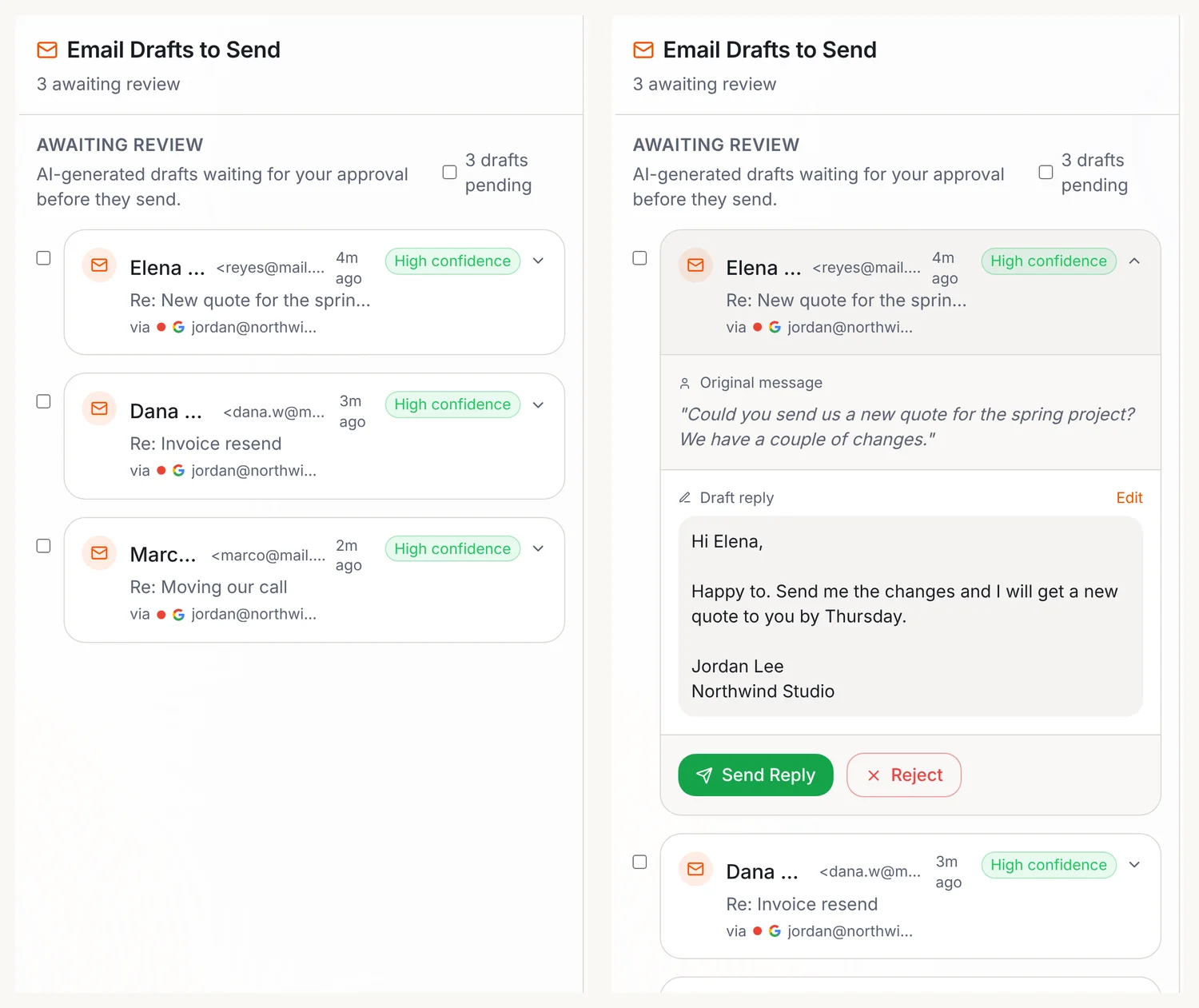
Drafts your team writes in the background show up in Email, then Approvals. Your team carries out the sends you ask for, so ask for drafts when you want to read first. New to Operly? Start with how to connect Gmail and Google Calendar.
What does each option cost?
Operly’s plans are on the pricing page: Pro is $50 a month for 3 seats, and Business is $200 a month for up to 20 seats, with yearly pricing that gives two months free. For a virtual assistant, get a few quotes. Rates vary a lot by region, by hours and by the skills you need, and anyone quoting you a single number for “a VA” is guessing.
Cost matters less than fit. A cheap tool that does the wrong tasks and a good person doing routine typing are both expensive.
What does Operly not do?
Be clear about the limits before you decide.
- Phone calls and errands. An AI team member works in your email, calendar and tasks. It doesn’t run errands.
- Judgment. It doesn’t decide on price, complaints or anything that needs your license or your relationship.
- Magic. You still read what it writes.
Your next step
Do the sort. Write last week’s tasks, put each in a pile, and count. If the AI pile is the biggest, try one task this week and read the drafts. If the human pile is bigger, you’ve just written your job description for a virtual assistant. Either way, you’ll know. See how Operly works as your inbox team, or watch the demo.
Comparing the options side by side? See Operly vs a virtual assistant.

We build Operly, an AI team for business owners. Your chief of staff hands the work to team members who follow up, draft and organize, and you keep the decisions. About Operly · Watch the demo