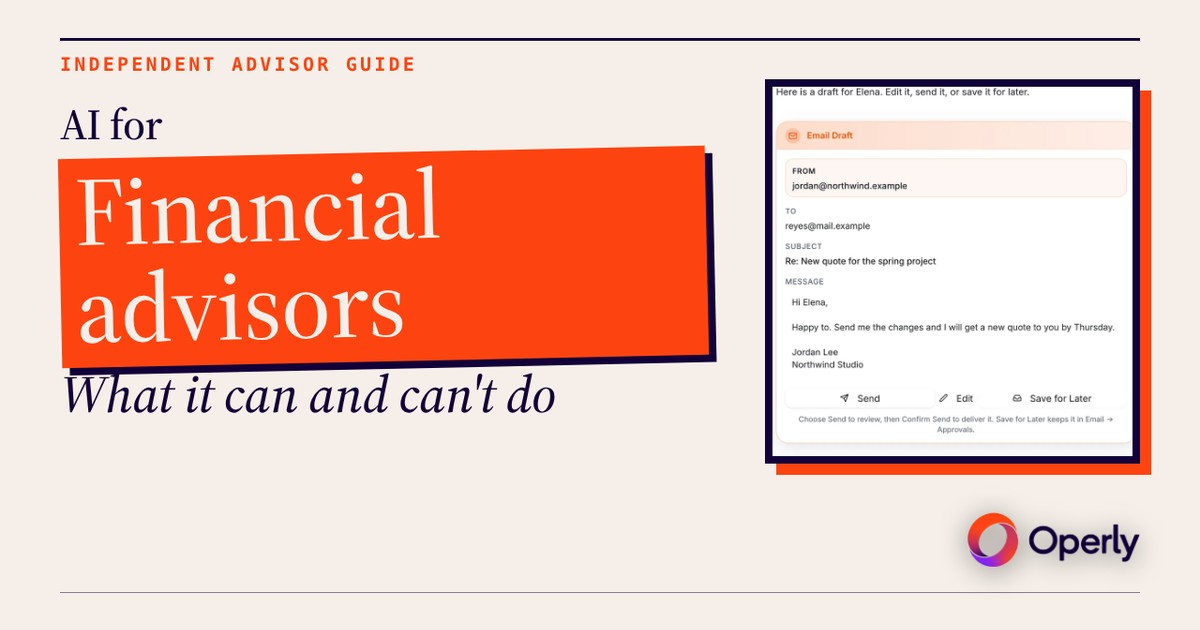
The best use of AI for financial advisors is the first draft of the routine work. The advice, the judgment and the rules stay with you.
It’s Thursday night. Three clients are waiting on a follow-up from this week’s meetings, and tomorrow’s reviews have no prep notes yet. Let’s be real: nobody got licensed to retype “great talking with you today” again and again. That’s the work AI can take first.
It can’t take the rest, and you’re regulated, so this post draws that line plainly. You’ll get what AI can draft, where it stops, what it looks like in the real app, and a checklist to bring to your compliance team before you use any AI tool. This is general information, not financial, investment, tax, legal or compliance advice.
What can AI do for a financial advisor today?
It handles the written, repeatable first pass around your practice. Not the advice itself. Five jobs are a good start:
- Follow-up drafts. After a meeting, you tell your team what was discussed and ask for a draft to each client. What was discussed is yours to supply.
- Inbox sorting. A rule runs on each new email and can star it, draft a reply, create a task, or archive it.
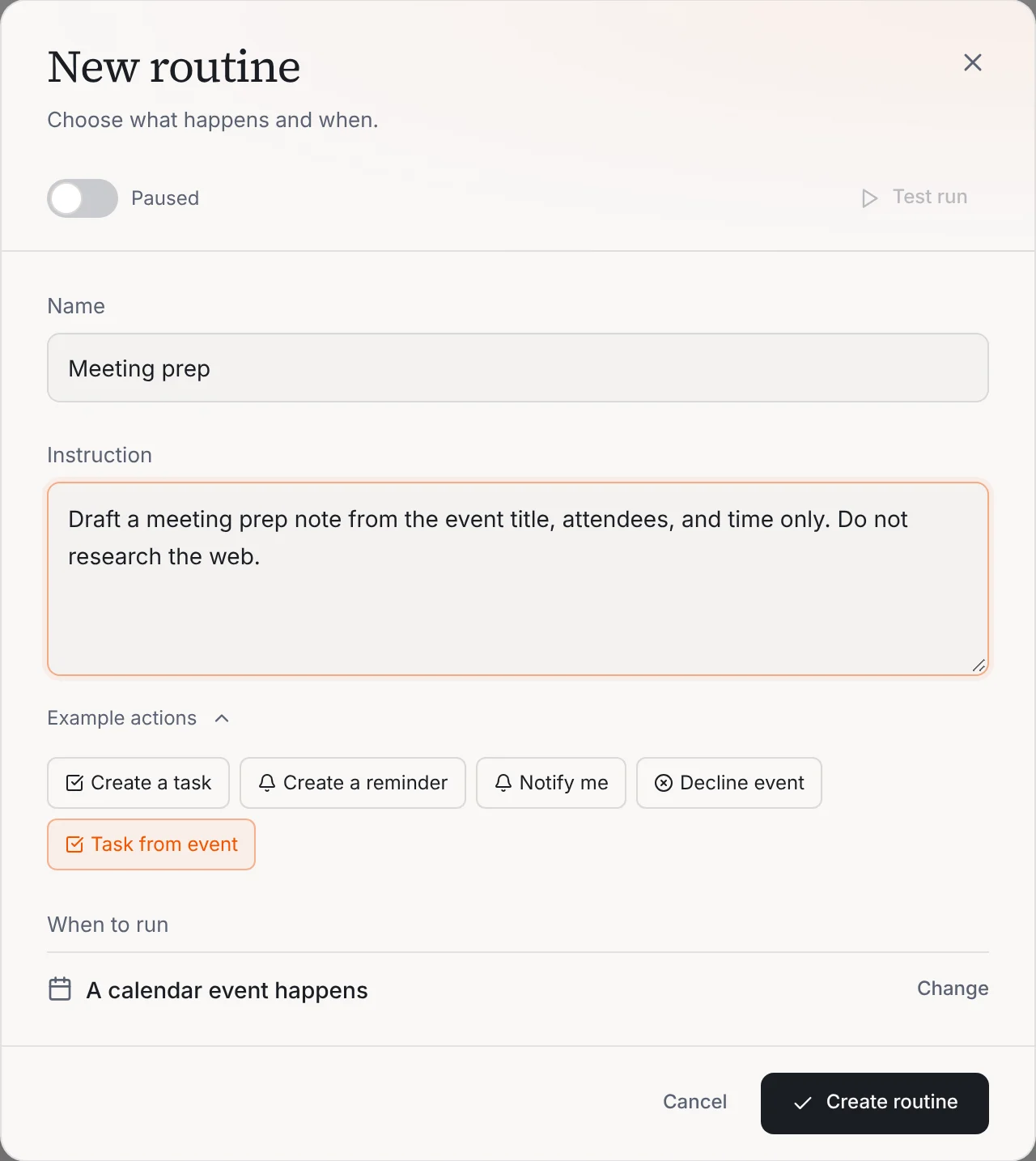
- Meeting prep notes. A short note drafted from the calendar event: the title, who’s attending and when.
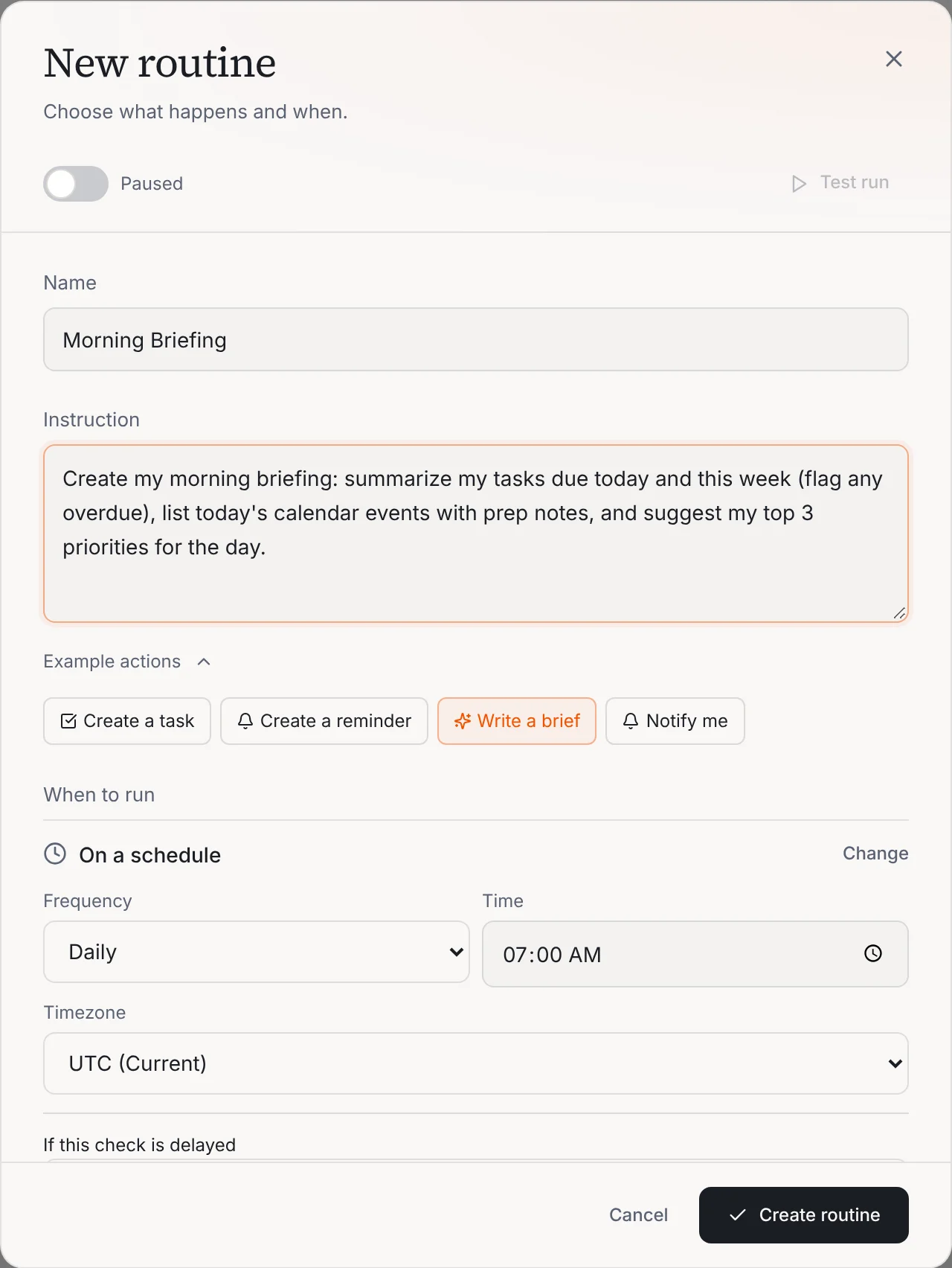
- A daily brief. Tasks due today and this week, anything overdue, today’s events and a short list of priorities, ready at the time you set.
- Tasks from requests. A client asks for a document, and a routine can turn that email into a task instead of leaving it buried in a thread.
That’s a smaller list than you’ll see elsewhere. The long guides to AI tools for financial advisors tend to cover portfolio analysis, meeting transcription and compliance review. This post covers none of them, and neither does Operly. It’s honest to say so up front.
Where does AI stop for a financial advisor?
Draw the line early and everything else gets easier. These stay with you:
- Advice and recommendations. What a client should buy, sell, hold, roll over or save is your call.
- Judgment about a client’s situation. You know the person. AI knows only what’s in the message or the notes you hand it.
- Anything with a number in it. AI gets facts wrong. Check every figure, date and name before a draft leaves.
- Compliance decisions. Whether a message, post or article is fine to send belongs to you and your compliance team.
- Supervision. Operly does not supervise communications, yours or anyone else’s.
- Recordkeeping and archiving. Operly is not a recordkeeping or archiving system, so don’t treat it as where your records live. Your firm’s rules on records apply to every message and note.
- Anything a regulator would care about. If you’d have to explain it to a regulator, a person decides it.
Two more plain limits. Operly is not planning, portfolio or trading software. And Operly does not record or transcribe meetings, so any notes you want are ones you write or share.
Will AI replace financial advisors?
Not the part that needs your license, your judgment and your relationships. Clients hire you to know them and to be accountable for the advice. AI can’t be accountable. You are.
What it can take is first-pass writing around those conversations. Nobody knows how far this goes, and anyone who promises you a firm answer either way is selling something. Plan for the part you can see today: less retyping, the same responsibility.
What does an AI assistant for financial advisors look like in Operly?
Operly is an AI team: a chief of staff you talk to, plus AI team members, each with a job. They work inside your email, calendar, tasks and files. You connect Gmail and Google Calendar through Google sign-in (here’s how to connect them), say what you need in plain words, and your team writes the first drafts.
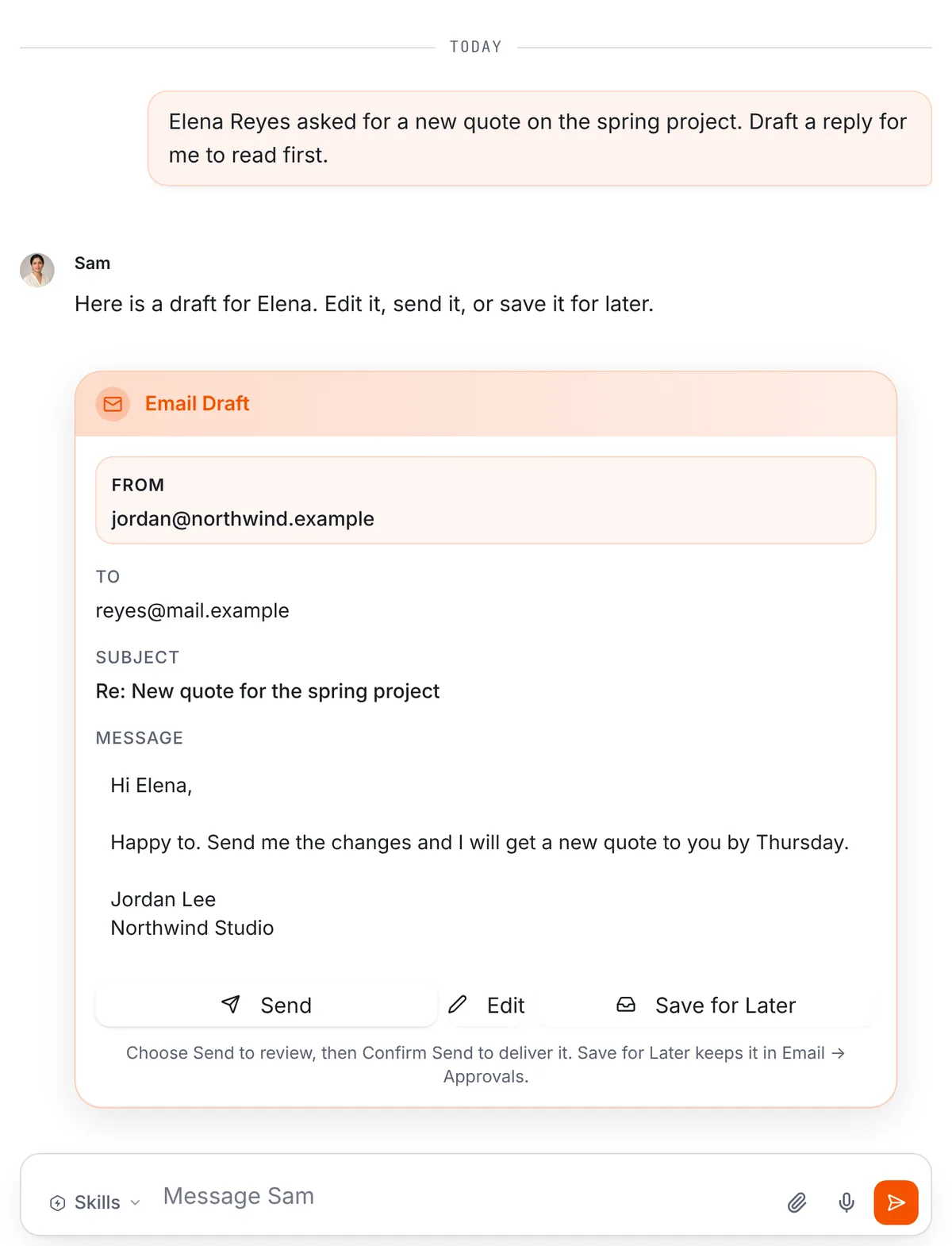
1. A follow-up draft. Tell a team member what you discussed. You can paste your notes or attach a file with the paperclip. Then ask: “Draft a follow-up to Elena for me to read first.” The draft shows up in the thread with the recipient, subject and full text, and three buttons: Send, Edit and Save for Later.
Drafts that wait for you sit in Email, then Approvals, where they’re easy to find between meetings.
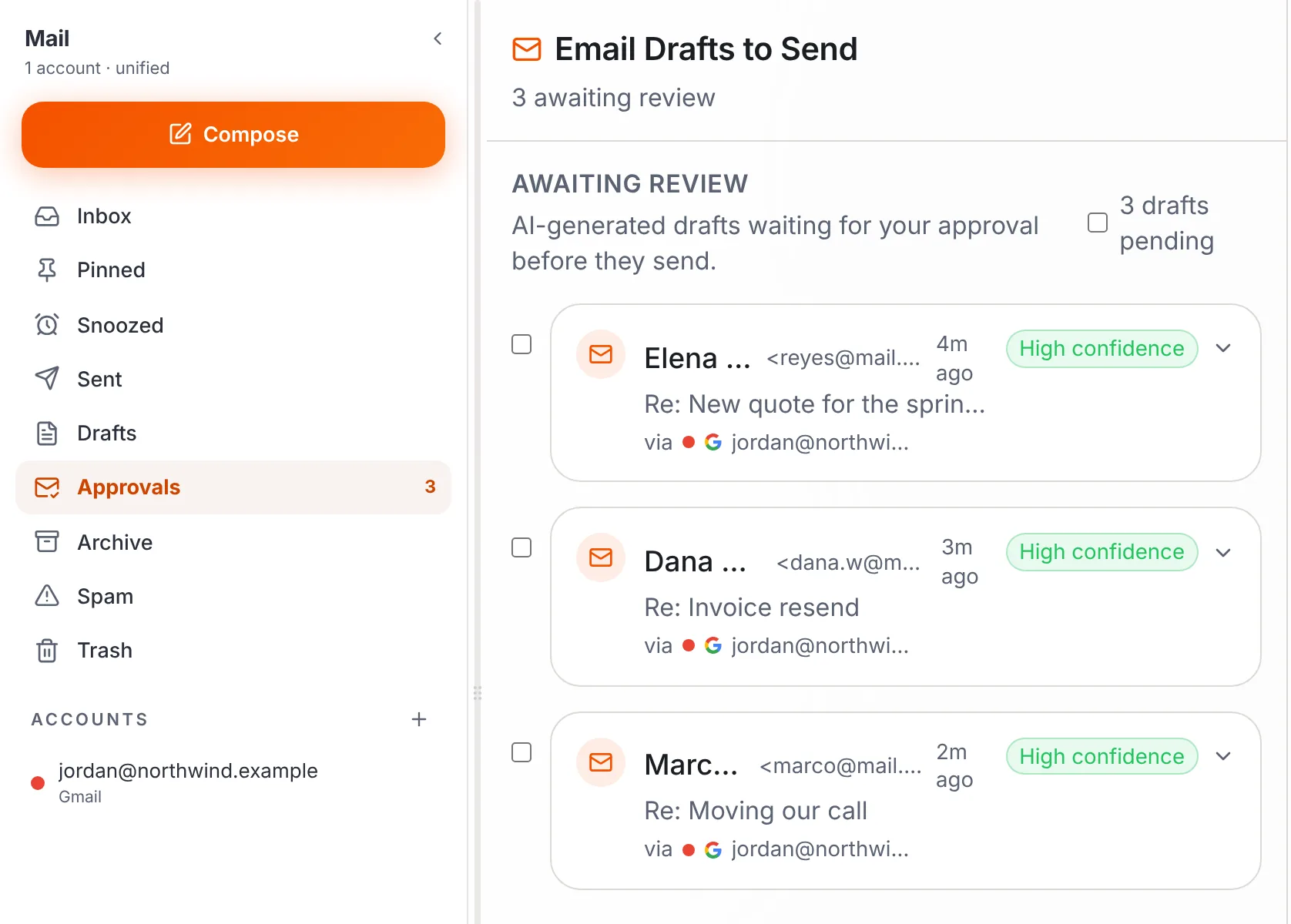
Your team carries out the sends you ask for, so ask for drafts when you want to read first. With your chief of staff, say “draft it” when you want to read before anything goes out.
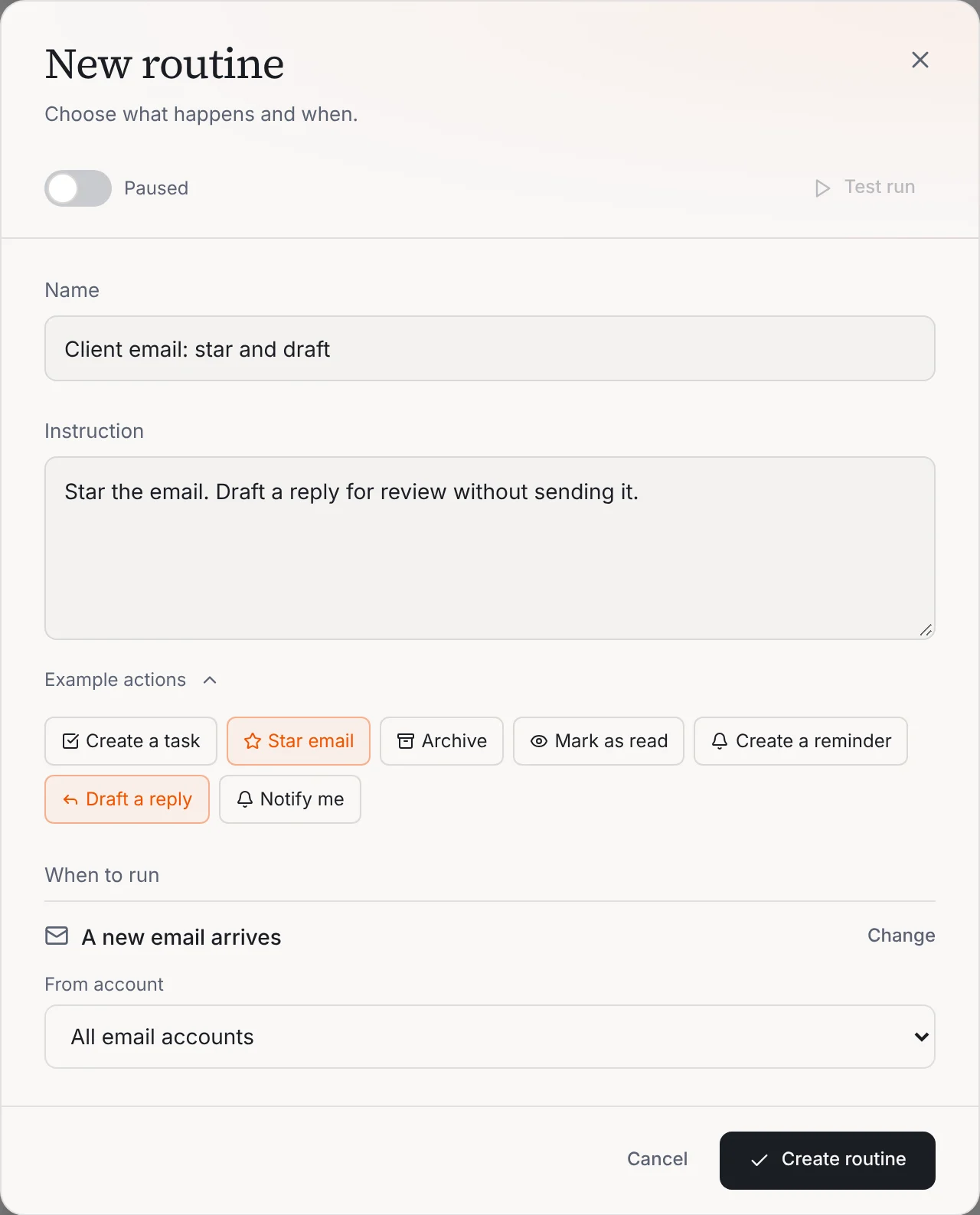
2. An inbox rule. A routine is a job written as a sentence, with a trigger. This one runs when a new email arrives, for all your accounts or one. The example below stars the email and drafts a reply without sending it. The same screen offers Create a task, Archive and Mark as read. Archive and Mark as read change your mailbox, so start with star and draft.
3. A meeting prep note. Another routine runs when a calendar event happens. The example reads: “Draft a meeting prep note from the event title, attendees, and time only. Do not research the web.” So the note stays tied to what’s on the event. Add what you know yourself.
4. A daily brief. The Morning Briefing routine runs daily at 7:00 in your workspace timezone by default. It summarizes tasks due today and this week, flags overdue ones, lists today’s calendar events with prep notes and suggests your top three priorities.
Routines and drafted replies are on both plans. Pro is $50 a month, or $500 a year with two months free, and includes 3 seats. Business is $200 a month, or $2,000 a year with two months free, and includes up to 20 seats. Only Business adds premium voice calls with your team, five times the premium usage and up to 20 seats. See pricing.
What should I confirm with my compliance team before using any AI tool?
Before you connect anything, ask. Your compliance team or counsel decides what’s allowed at your firm, and nothing here replaces that. Bring these to them for any tool, Operly included.
1. Is this tool allowed for client information at all? And which kinds: names, emails, account details, meeting notes?
2. What does it store, where, and for how long? Can the vendor delete it, and can you?
3. Which other companies process the text we put in? Ask for the list, and ask what each one does with it.
4. Can communications made or sent through it be archived the way our rules require? If the tool doesn’t archive, where does the record live?
5. When does a draft count as a communication or a record? Does a saved or unsent draft count?
6. Who reviews AI-assisted client messages before they go out? Is that review written down?
7. How would a supervisor see how the tool was used? Is its use covered by our written policies?
8. Does AI-assisted marketing, like a post or an article, need pre-approval?
9. What can we paste in, and what stays out? Account numbers, tax IDs, health details?
10. Does the use have to be disclosed to clients or added to our vendor review?
Write the answers down. If a tool can’t answer them, that tells you something too.
What about client privacy?
It’s the right question. For what Operly stores and how your data is handled, read the Privacy page and the Security page rather than a summary here. This post doesn’t make promises about data handling. Until your compliance team has answered the checklist, keep client details out of your requests.
How do I start with one task?
- Ask your compliance team the questions above, and wait for answers.
- Connect Gmail and Google Calendar.
- Ask your team for one draft you’d send to anyone, like a scheduling reply offering two times for a review next week.
- Read the draft out loud. If you wouldn’t say it to the client, change it.
- Send the ones you like. Reject the ones you don’t.
One small request tells you more than a month of reading. When you’re ready for more, see how Operly works for financial advisors or watch the demo. Still sorting what to hand off? Start with what you can delegate to AI, or see what an AI virtual assistant does. Work in another regulated field? The same pattern shows up in AI for insurance agents.
Ask your AI team for a draft, read it, then decide what to do with it.

We build Operly, an AI team for business owners. Your chief of staff hands the work to team members who follow up, draft and organize, and you keep the decisions. About Operly · Watch the demo